
GXT 188 Laban RGB Mouse and GXT 758 Mouse Pad: A Gamer's Duo from Trust Gaming
Ah, it’s been a while since I last picked up... no, not a sabre, but a pen, well, I mean a keyboard, to type about some worthy topic. And, I probably wouldn’t have if a suitable occasion hadn’t come up. But it did, and its name is GXT 188 Laban RGB, a delightful gaming ‘rodent’ from Trust Gaming. By the way, this ‘beast’ didn’t arrive alone, but in the company of the GXT 758 mouse pad from the same brand. Therefore, I decided to do a review of this sweet duo in a ‘2 in 1’ format – mouse and mouse pad in one bottle post.

Trust Gaming is the gaming division of the Dutch company Trust International B.V., specializing in manufacturing peripheral devices for PCs and more (owners of gaming consoles and mobile devices are also taken into account). Under this brand, a wide range of devices for gamers is released: various controllers, headsets, keyboards (one of them, the mechanical GXT 890 Cada RGB, was recently reviewed on our portal), microphones, and of course, mice with mouse pads. So, let me introduce you to some representatives from the last two groups of devices today. So, allow me to present...

GXT 188 LABAN RGB MOUSE
Trust Gaming GXT 188 Laban RGB is an eight-button optical wired gaming mouse with an asymmetric ergonomic body designed for the right hand and customizable RGB lighting. Inside, it houses an optical sensor Pixart PMW3360, belonging to the high-end category, supporting resolutions from 100 to 15,000 dpi with a step of 100 units. Also, the Laban has a built-in memory chip for five gaming profiles, eliminating the need to load familiar settings from cloud storage when connecting the device to a 'foreign' PC. Basically, at the moment, this is the top model in Trust's line of gaming ‘rodents’. It is available in a single color – black. Prices for the GXT 188 in Russia at the time of the review's publication range from 3,700 to 5,000 rubles depending on the region and store. For comparison, it is offered for about $60 on American Amazon, while residents of Europe will pay around 40-50 euros.
**Number of Buttons**8
SensorPixart PMW3360
optical LED
Sensor Resolution100–15,000 dpi
Acceleration50 Gs
Speed300 ips
Polling Rate125 – 250 – 500 – 1000 Hz
stepwise adjustable
Lift Distanceabout 1.5 mm
Switch Lifespannot specified
LightingRGB 16.8 million colors
Connection InterfaceUSB 2.0
Weight113 g
Dimensions (L x W x H)128 x 70 x 39 mm
Cable Length1.8 m
CompatibilityWindows Vista, 7, 8, 10
ApplicationTrust Gaming Mouse Driver
downloadable from the official manufacturer’s site
PACKAGING
Laban comes in a slip case made of sturdy cardboard with quality printing and design in a unified style for all Trust Gaming devices. The front side of the packaging shows the mouse itself, the model name is indicated, and its main advantages are briefly listed – RGB lighting, optical sensor with resolution up to 15,000 dpi, built-in memory chip, and advanced software. The back side also provides technical and design features of the device inside, in a more detailed form, but exclusively in English. The only multilingual phrase on the packaging describes the model as an ergonomic professional gaming mouse with a high-precision sensor and full LED backlighting.
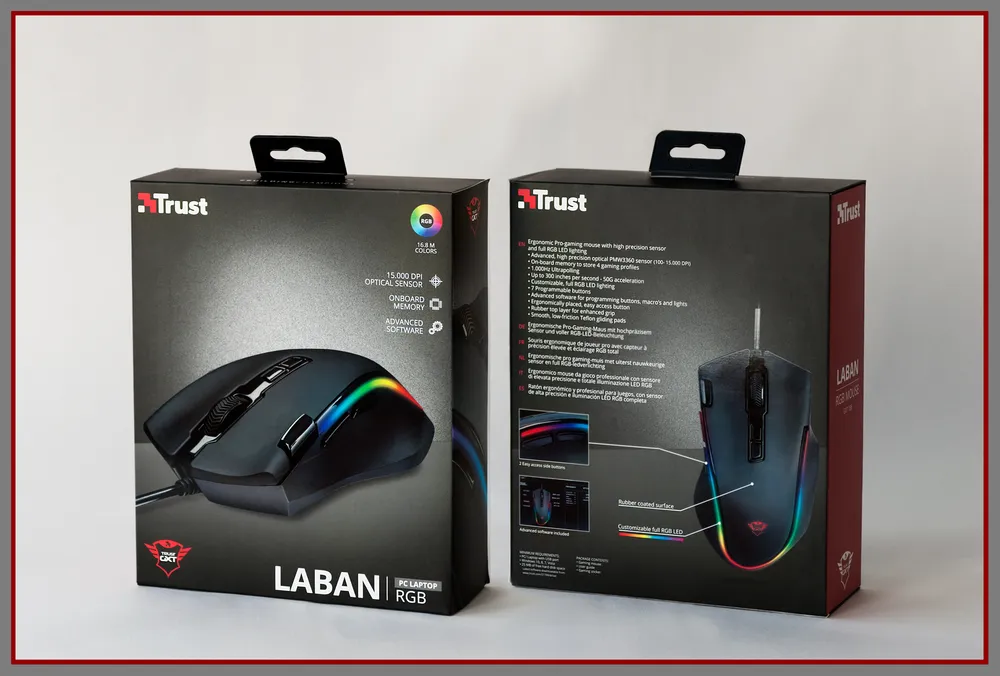
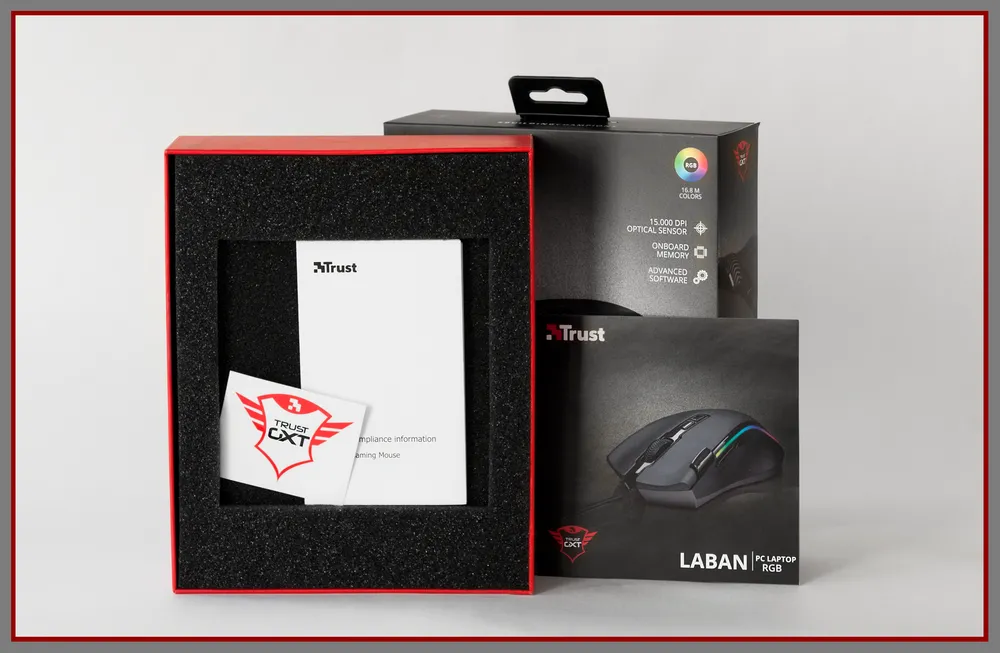
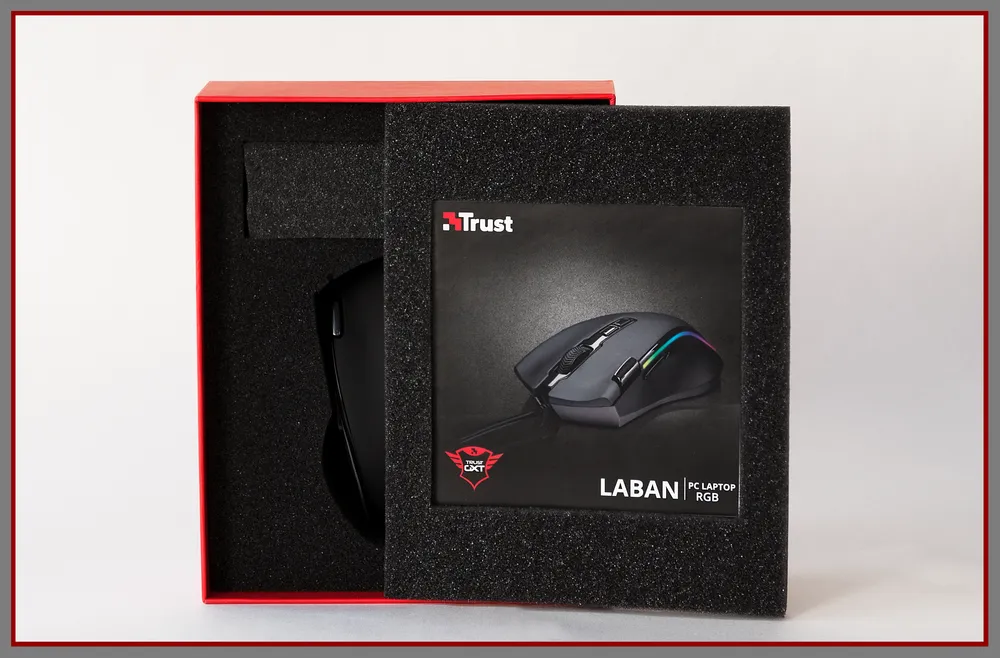
Inside the box, there is a foam shape with a foam “lid,” and the mouse itself is placed inside. The lid, in turn, serves not only as a tightener but also as a storage for the technical documentation booklet, quick start guide, and sticker with the company logo, supplied with the device.

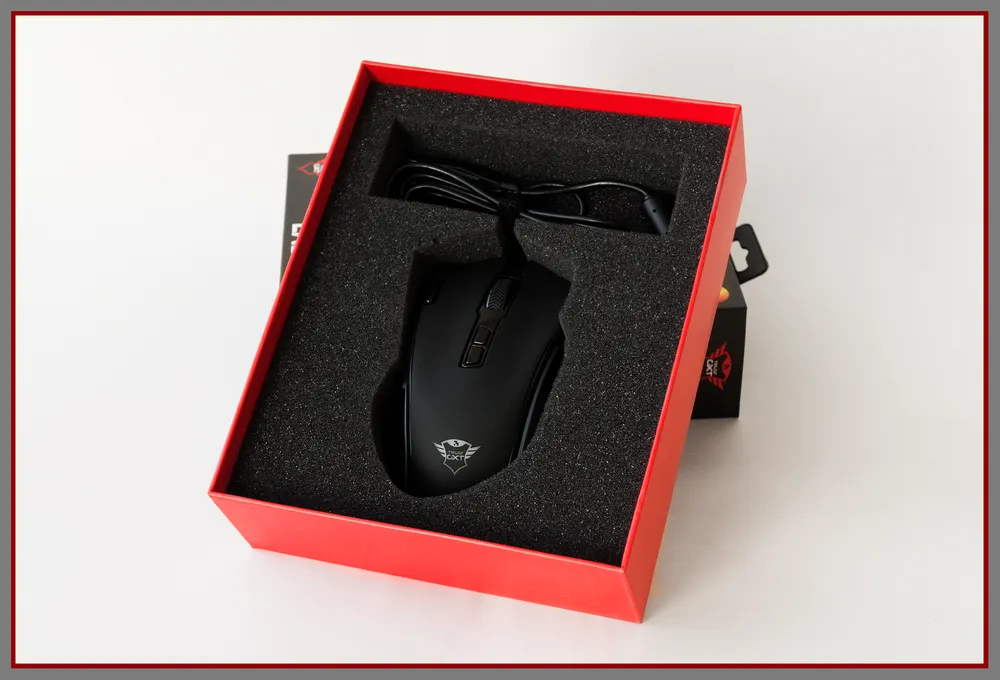
If you evaluate the packaging as a whole, it’s hard not to note that it’s made thoughtfully. Damaging the device during transport is very problematic. The soft material, gently and simultaneously tightly enveloping it from all sides, prevents it from sliding from side to side or scratching against anything hard or rigid. For the mouse’s body and cable, separate “nooks” are provided in the foam shape, connecting to each other through a narrow passage while excluding contact between the soft-touch covering of the ‘rodent’ with the metallic parts of the USB connector. In short, if you decide to order this miracle far away, you can be calm – neither the Russian Post nor an inattentive courier will be able to tarnish your meeting with Laban. It will reach you intact and safe.
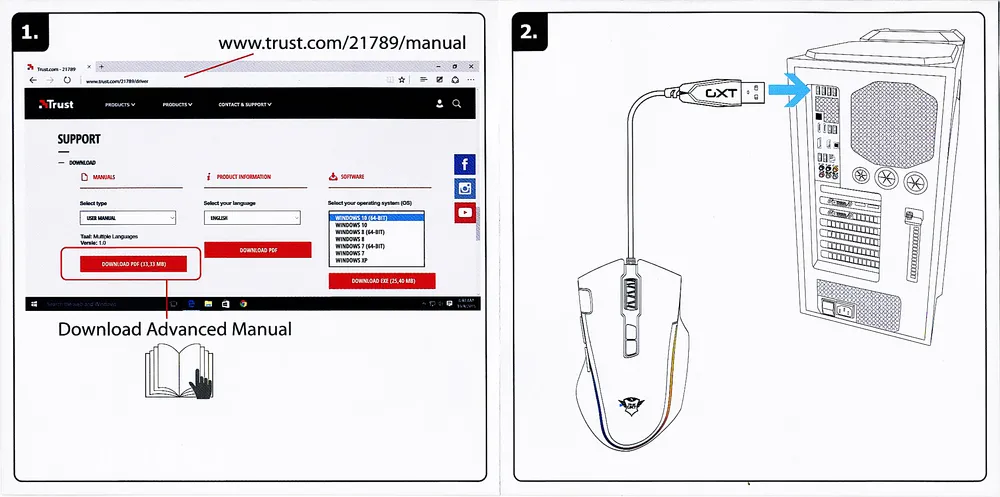
It’s quite simple. You need to plug the mouse into the system unit, visit the device’s page on the official website of the manufacturer, and download the detailed manual in pdf format. By the way, it’s multilingual, and Russian is also available.
EXTERNAL VIEW
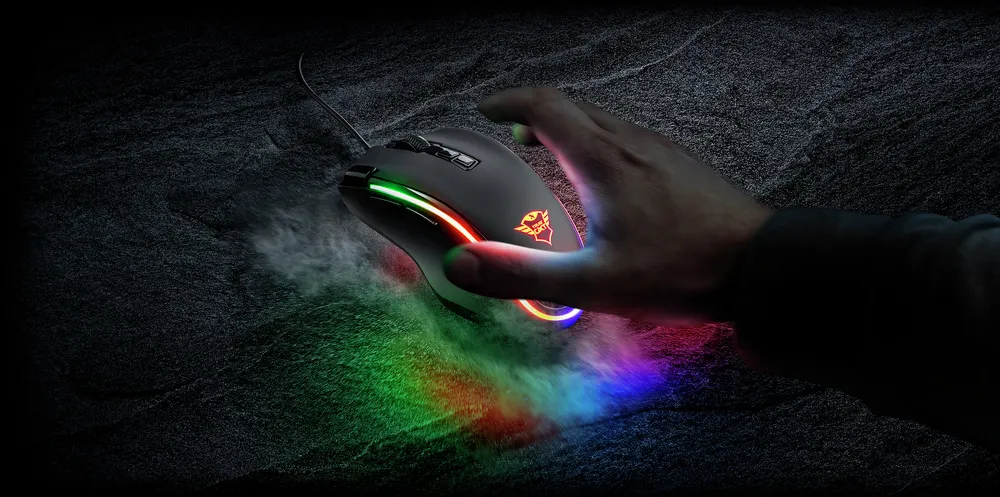
The GXT 188 Laban RGB body is made of black plastic. Its top part (back) is finished with a silky velvety soft-touch coating. The side panels on both sides are rough but also pleasant to the touch. Glossy elements are present in the mouse's decor – extra buttons, the area around the wheel, and a stripe running along the edge of the back. The design of the device not connected to the PC may seem excessively strict; however, everything changes as soon as the lighting turns on. The rainbow-colored band visually separating the back from the sides, along with the similarly multicolored glowing logo on the rear part of the upper panel, combine successfully with the black body, making the device stylish, elegant, and bright. The unusual ergonomic shape with an indentation for the thumb and a protrusion for the little finger is another undeniable advantage of Laban (if, of course, its owner is right-handed). The mouse sits so comfortably in the hand that it feels like a natural extension of it.
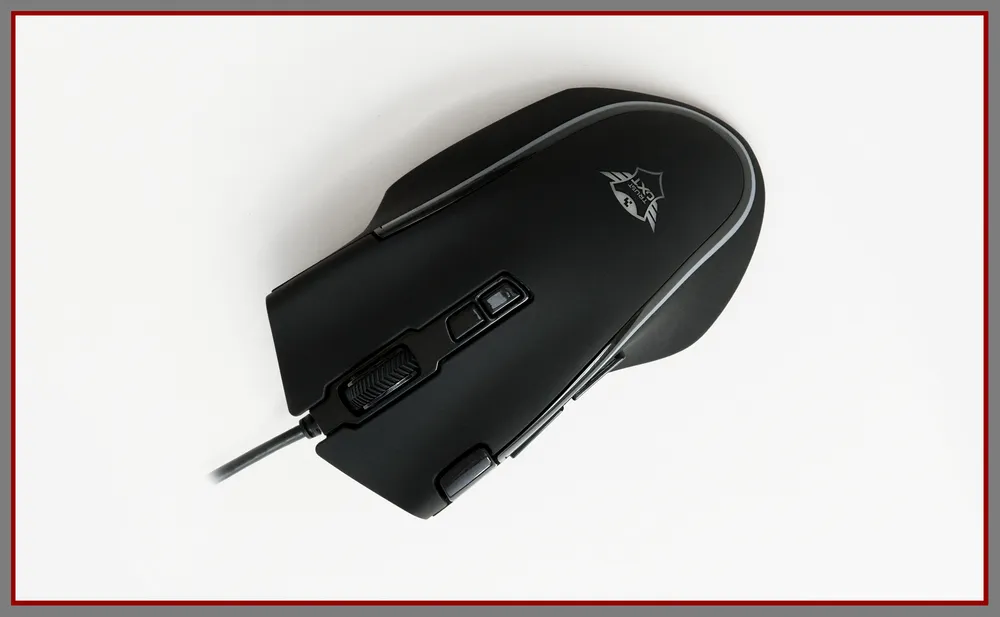
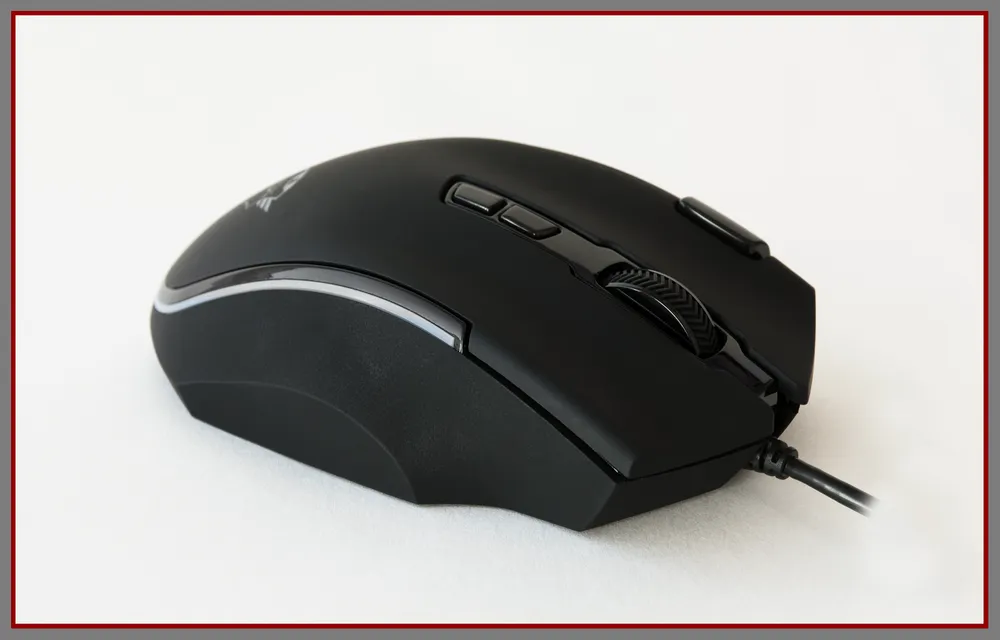
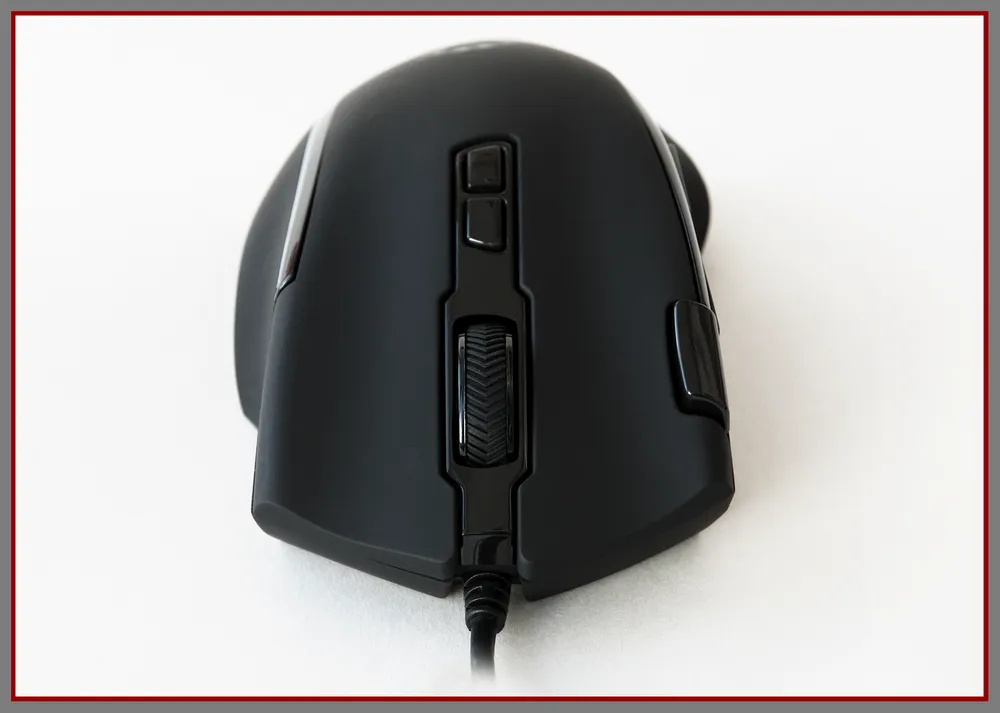
Our heroine today has eight buttons: two main ones, the wheel, two dpi switching buttons above the wheel, two side buttons on the left side, and one more on the upper left part of the body. If you don’t count the last one, it’s basically a standard scheme found in most gaming mice. The click of the main buttons is good, clear, accompanied by a distinctly audible clicking sound. A little effort is required to press them, but accidental presses are eliminated. Since the panels of the main buttons are a single unit with the upper part of the body, there can be no question of any play or wobble. The Laban wheel has a rubberized surface with notches. During slow and medium-speed scrolling, it moves completely silently, while during fast scrolling, there is a barely noticeable sound, which you will only notice if you listen closely. At the same time, and I won't hide it, the notches are clearly felt at any scroll speed. As for being a button, the wheel works with above-average force and a low muffled click.
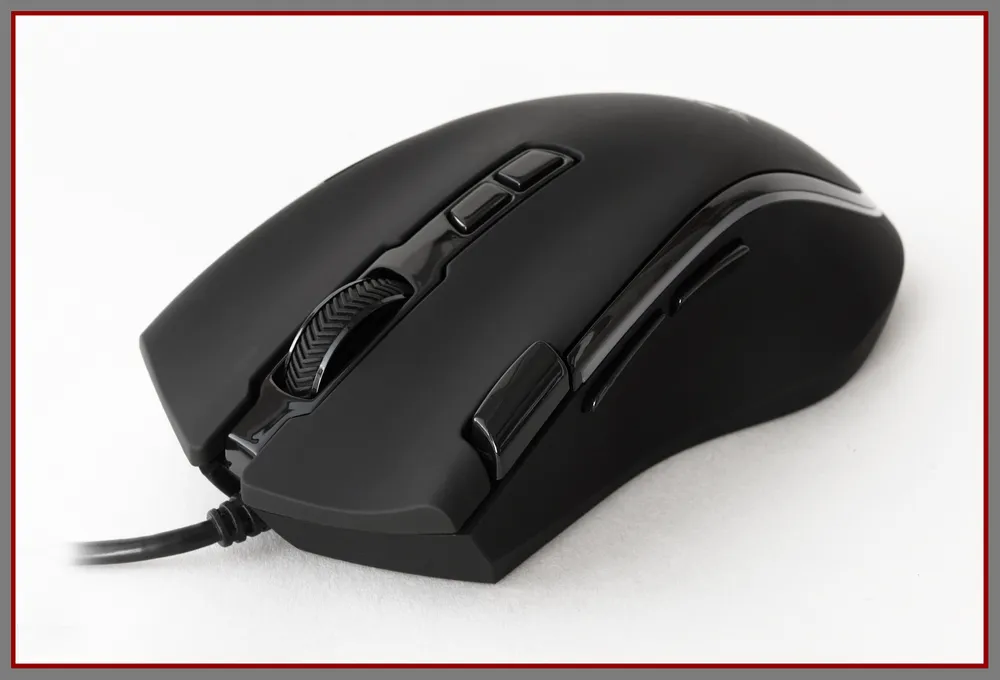
The side buttons also deserve praise – for their successful placement. In my case, Laban turned out to be one of the rare and pleasant exceptions where the thumb easily reaches both of them. They are small, separated by a gap, and can easily be found by touch, largely due to their glossy surface, which contrasts tactily with the rough side panel. They click with minimal effort and a clearly audible dull click. Notably, they can be pressed or slid from bottom to top. There’s plenty of space for a finger underneath them, so accidental presses are unlikely. By default, the side buttons are responsible for moving “forward” and “back” – a standard solution.
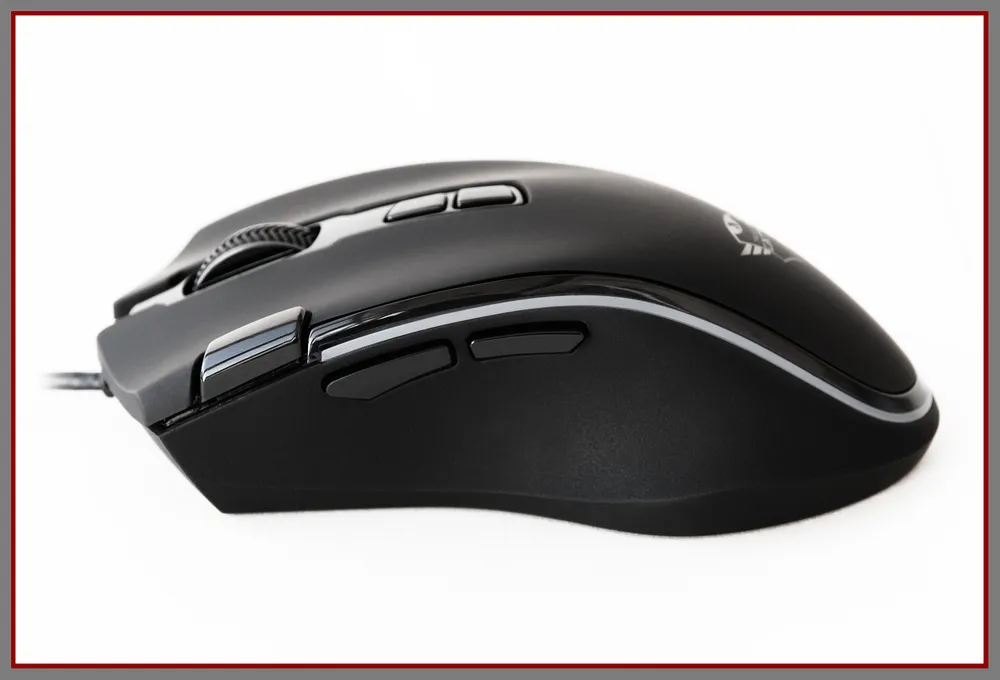
The buttons above the wheel by default control dpi adjustment: the one closest to the wheel increases the sensor resolution, while the one farther away decreases it. You can switch between five levels, and the values for which can be adjusted through proprietary software. The resolution change is accompanied by color indication, helping you understand which of the five levels has now become active – for a short time, literally a few seconds, the lighting zones on the body light up in the color corresponding to the current level:
- green – level 1;
- red – level 2;
- blue – level 3;
- cyan – level 4;
- purple – level 5.
A small rectangular button on the left side of the upper part of the body is described by default as the “triple-click 'Fire' button.” Once, five to ten years ago, there was an opinion among manufacturers of gaming mice that such buttons supposedly give an advantage when shooting. Players quickly realized the inefficiency and, practically, the uselessness of this feature, but the tradition of equipping ‘rodents’ intended, among other things, for shooters, with such buttons continues, as you can see. If you take a break from the original name and characterize this button in essence, it is simply an extra button free from any significant default functions, for which you are free to assign any necessary action without touching the other buttons.
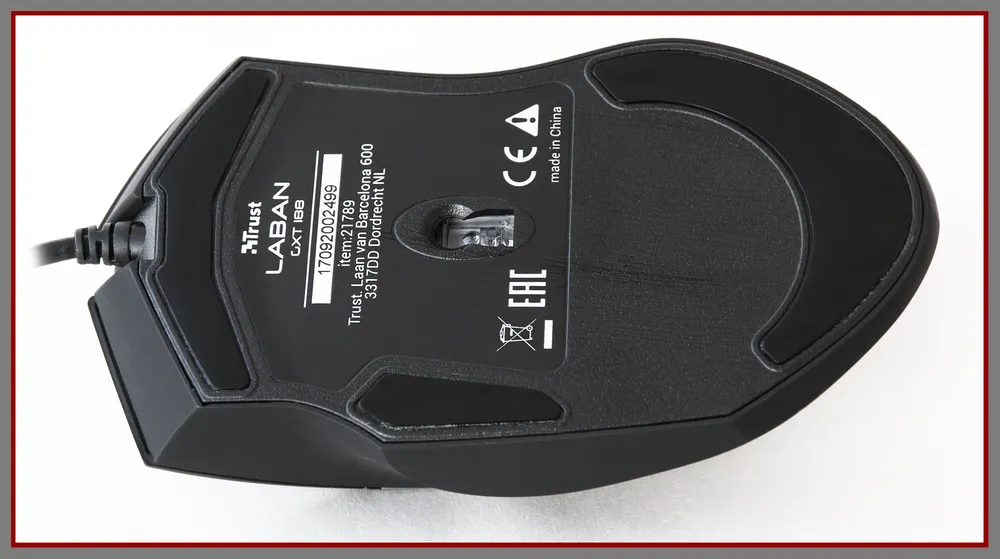
The bottom of the mouse device is standard: a sticker with technical data and the manufacturer’s logo, a window for the sensor in the center, and three Teflon feet (two larger ones at the front and back and one smaller one on the right), ensuring good, smooth glide without complaints – I tested it on soft fabric and hard polymer surfaces.
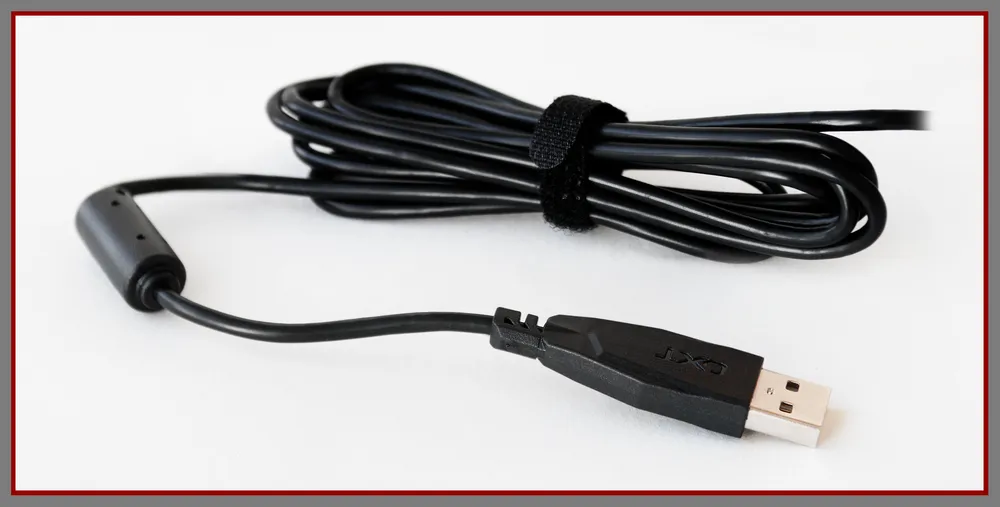
The cable is 1.8 m long and lacks a braid (after long communication with devices of a similar class from SteelSeries, this situation doesn’t surprise or bother me, as the lack of a braid does not affect the mouse’s performance), but it comes with decent protection from bending and a ferrite filter. Its stiffness is average, and it changes shape reluctantly; however, it does not restrict movement. In the folded state, the cord is secured not with a piece of wire but with a re-usable Velcro tongue, which is, to be honest, nice. It ends in a non-gold-plated USB connector, the plastic head of which is adorned with the letter designation of the gaming device line from Trust – GXT.
SOFTWARE
Today, it’s hard to imagine a gaming device without corresponding software. And GXT 188 Laban RGB is no exception. Downloadable from the official site of the manufacturer, the Trust Gaming Mouse Driver contains the full gentleman’s set of functions and capabilities that should be present in any gaming mouse – programmable buttons, customizable lighting, adjustable sensor parameters, and cursor movement. The software currently only supports English, but the language barrier problem, if any, is largely solved with the help of a downloadable user manual from the same official site.
The BUTTON tab is responsible for reprogramming any of the eight buttons. The list of available capabilities is quite extensive: standard mouse button functions, a single key (Single key) or combination (Combo key) of keyboard keys, basic (Basic: copy, cut, paste, etc.) and advanced (Advanced: launching applications, going back to the homepage in the browser, etc.) commands for the operating system, media keys, macros, switching between profiles of the mouse (Profile switch), switching between various lighting modes (Led mod switch)... Ultimately, any button can simply be disabled (Disable) if you don’t intend to use it. The only complaint I have about all this abundance is that not all the proposed commands can be made to work correctly. Unfortunately, for example, I still don't understand what should have happened if I assigned the action Mail (email) to a button. In my case, nothing happened. On the other hand, media commands worked perfectly and without complaints.
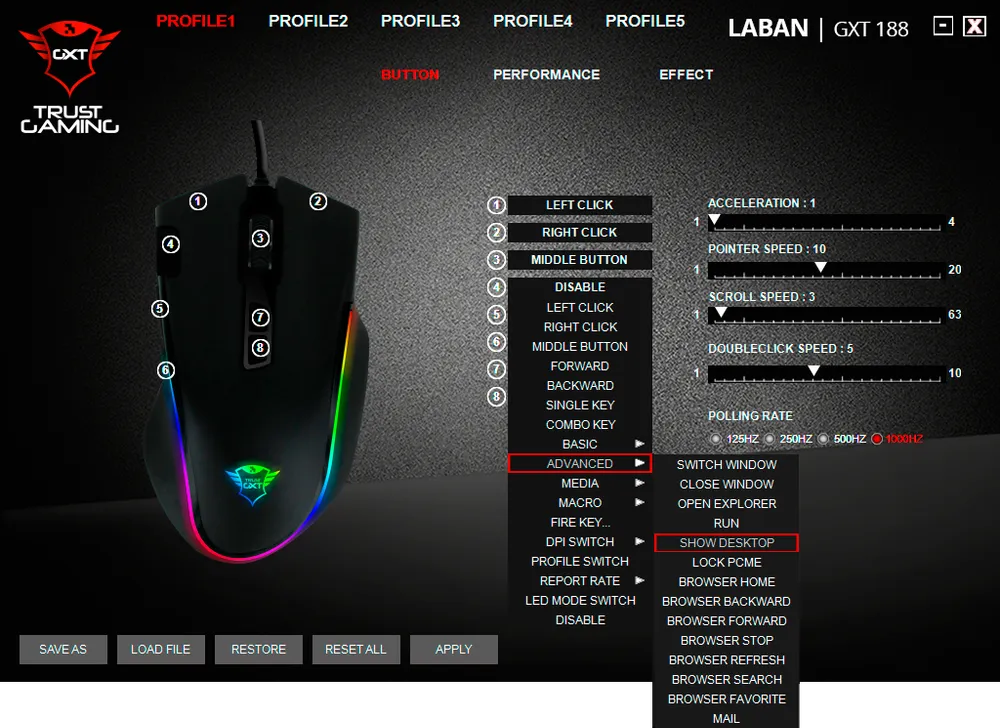
Do you want to minimize all open windows (show desktop) with one button? No problem.
In addition to the button reprogramming menu, the BUTTON tab also contains sliders to change acceleration (Acceleration), cursor speed (Pointer speed), scrolling speed (Scroll speed), and double-click speed (Doubleclick speed), as well as switching between several polling rate values of the sensor (Polling rate).
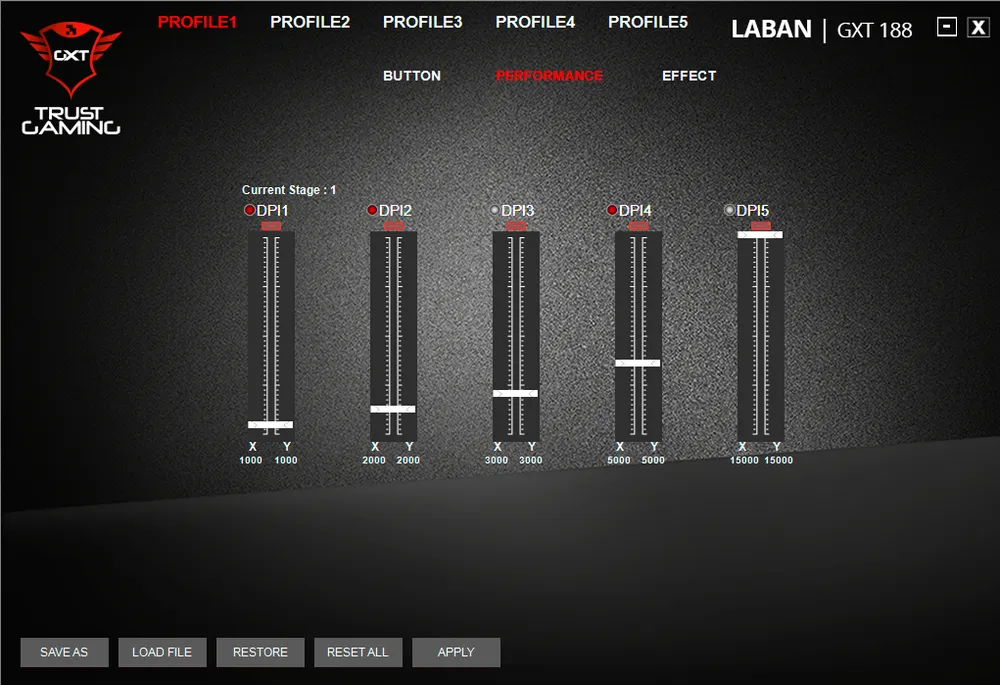
The PERFORMANCE tab allows you to configure and change the sensor resolution. The maximum number of available levels is 5. However, if this is too much for you, unnecessary levels can be disabled – just click on the red dot next to the DPI number. As a result, the dot will turn gray, and the level and its associated value will become inactive.
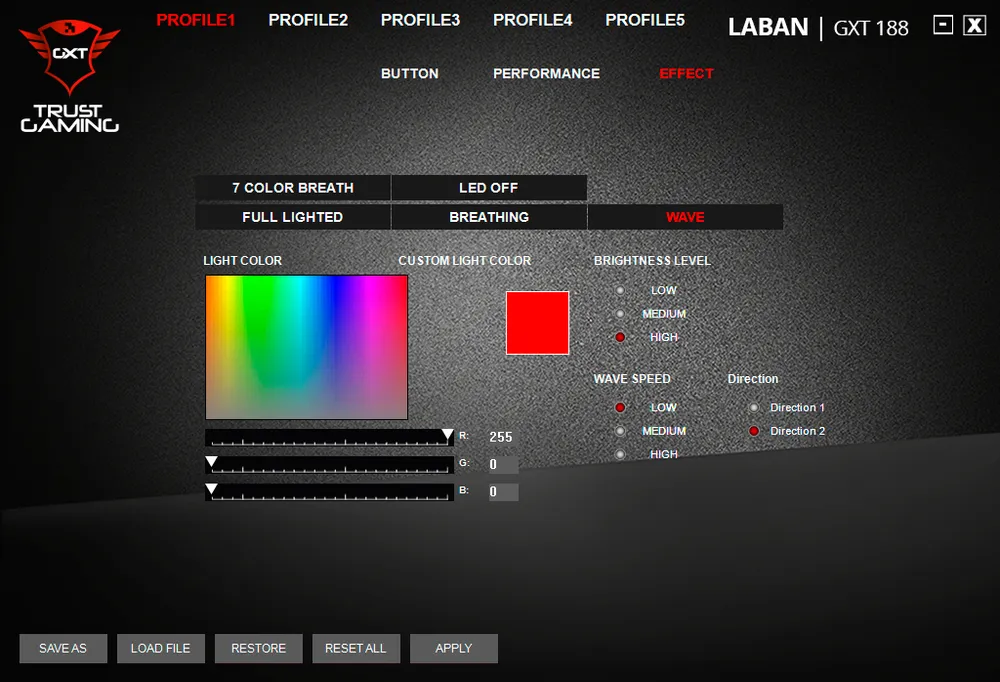
You can play with the lighting settings or turn it off altogether (Led off) in the EFFECT tab. You have four lighting modes at your disposal: “breathing” (i.e., pulsing) seven colors (7 color breath), constantly lit in one color (Full lighted), “breathing” in one color (Breathing), and a rainbow wave along the strip of backlighting (Wave). Brightness level, breathing speed, and wave speed (Wave speed), direction of the latter (Direction), as well as the continuously lit or “breathing” color can also be customized. In general, for those who love to customize their devices, there is plenty to tinker and experiment with. I personally liked the wave mode, set as default, more than others.
The Laban memory chip allows for the simultaneous storage of up to five profiles. However, this does not mean that you must limit your requests and needs to this number. Not at all. No one prevents you from creating as many profiles as you want, storing them on your hard disk and loading them into the device’s memory when needed. You can select the active profile by clicking on the label PROFILE with the corresponding number at the top of the application window. And to manage all the profiles you have, the commands “Save as,” “Load file,” “Restore” the default settings for the current profile, and “Reset all” to reset all profiles to factory settings are provided in the lower left corner.
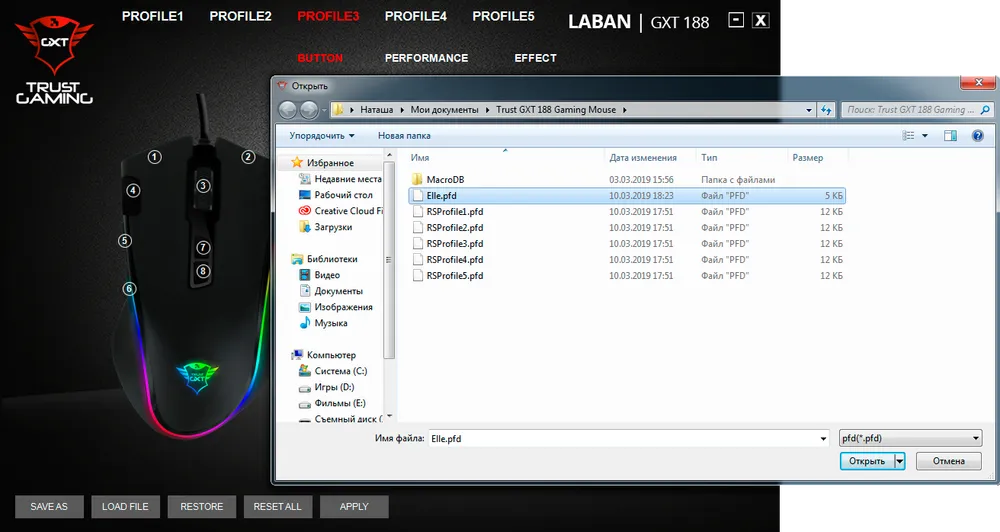
I thought and decided to create a profile named after myself.
GXT 758 MOUSE PAD
Laban, as you remember, did not arrive alone, but in a bundle with a mouse pad from the same manufacturer. Let’s give it a little attention. Believe me, it deserves it.

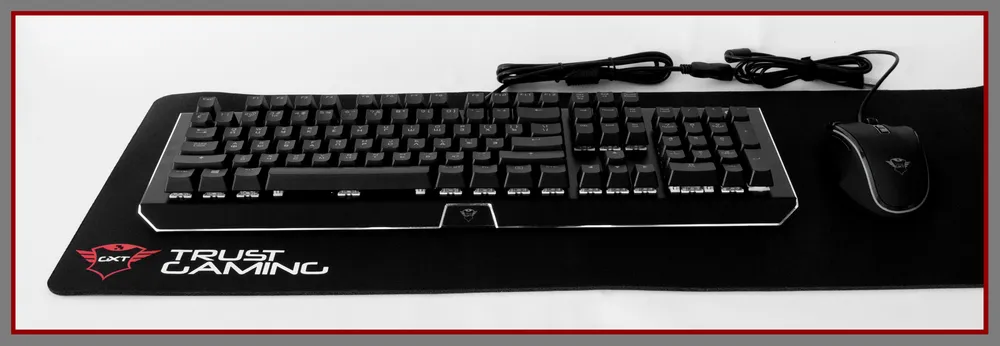
Meet Trust Gaming GXT 758 – a flexible single-sided mouse pad with a surface made of micro-textured fabric. Its main advantage is that it’s not just big, but gigantic, 930 x 300 mm. It can easily accommodate both the mouse and keyboard, with extra space left over. The thickness is 3 mm. The bottom is rubberized and, therefore, will not move across the desk surface on its own. The mat is completely black, and its only decoration is a red and white company logo in the lower left corner. In Russia, it can be found for 1,300–1,700 rubles depending on the store. If you want to buy GXT 758 across the ocean, be prepared to pay about

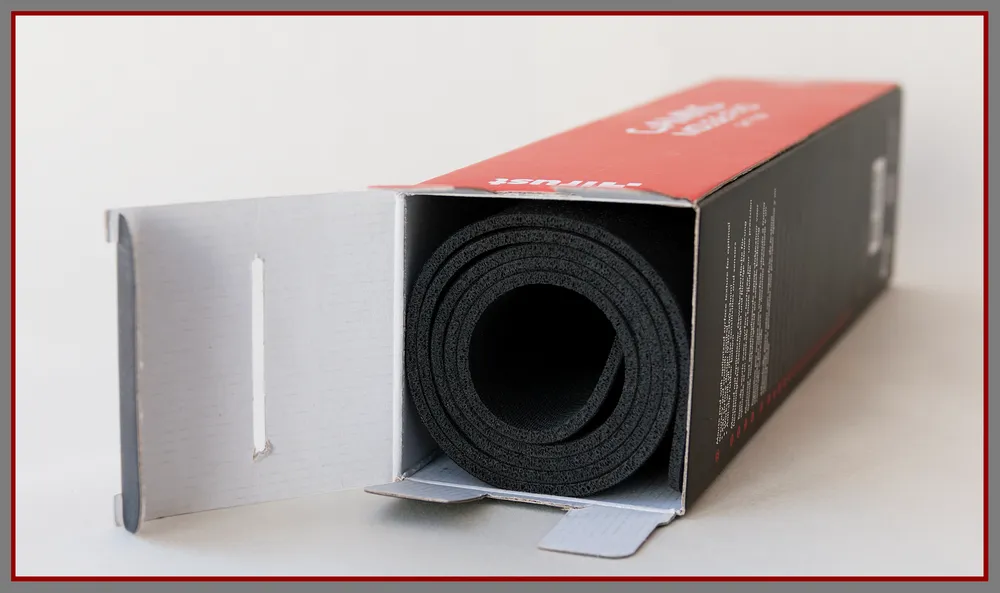
GXT 758 is supplied in a sturdy cardboard box, where it is rolled up in a cylinder. One side of the packaging has a window through which you can take a look at the working surface of the mat and even touch it. Once extracted, it straightens out without problems and is immediately ready for use. A nice bonus with the mega mat will be a sticker with the company logo.
A WORTHY DUO. INSTEAD OF A CONCLUSION
Trust Gaming GXT 188 Laban RGB is positioned by the manufacturer as a mouse for games of almost all genres where precision and speed are important – MOBA, first-person shooters, RPGs, and even real-time strategies. After using it for two weeks on the GXT 758 mouse pad in [Assassin's Creed](/games?search=Assassin's Creed) Odyssey and Metro Exodus, my impressions of this pair are definitely positive. Firstly, I was pleased with the ergonomics. Laban sits perfectly in hand. Its size, shape, and placement of side buttons suit my usual palm grip better than anything (although, as you understand, feelings regarding sizes, grips, and shapes are always subjective and individual). Secondly, in gameplay, the mouse behaves faultlessly. No issues related to smoothing, acceleration, angular snapping, and similar problems were noted. However, I did not expect anything less from a device equipped with a Pixart PMW3360 sensor. Reliable performance without glitches combined with capabilities that exceed my current requests and needs – this is what I primarily value in technical devices, and Laban meets those requirements entirely. Thirdly, the ‘rodent’ glides smoothly and evenly on the fabric surface of the branded mouse pad with the effort that has long been habitual and therefore natural for me, a long-time fan of fabric mats. Fourthly, the ‘Wave’ lighting mode has literally enchanted me (and I quietly started envying those who will have the GXT 188 gliding across the mousepad with similar backlighting). Fifthly, I was pleasantly surprised by the color indication when switching dpi levels, as well as the ability to change the number of active levels. This is exactly the feature I missed in my beloved SteelSeries mice.
Thus, I’ve listed the positive points. Now for the negatives, but they are trickier. Perhaps, the mouse could be criticized for the inconvenient (for me) placement of the triple-click button, making it useless in gameplay (again, for me). And out of game, I don’t see any need for it at all. The exclusively English software is another point of criticism. This issue is partially resolved with the Russian-language manual, but it would be much more convenient to perceive the information in the native language from the start. And not all options available in the software are described in the manual. As for the mouse pad, I have absolutely no complaints if, of course, its size is suitable and fits the dimensions of your desk.