
Review of the Lightweight Laptop HONOR MagicBook X16 Plus

Greetings to all visitors of Gamer.ru. It's time to review the new laptop from Honor. This time, I will be reviewing the model HONOR MagicBook X16 Plus. This is an updated version of last year's model and has better specifications than the MagicBook X16 that I reviewed at the time.
Form
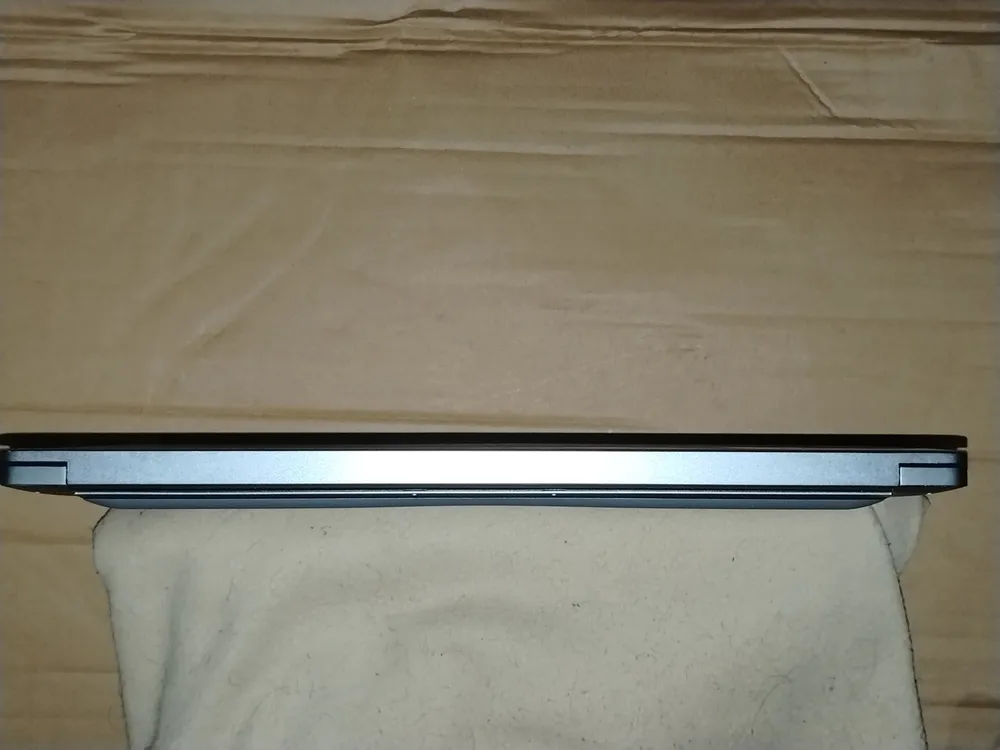
However, in terms of design, the HONOR MagicBook X16 Plus is little different from the X16 or the entire MagicBook series in general. It is a lightweight and thin silver laptop that can easily be carried like a folder.
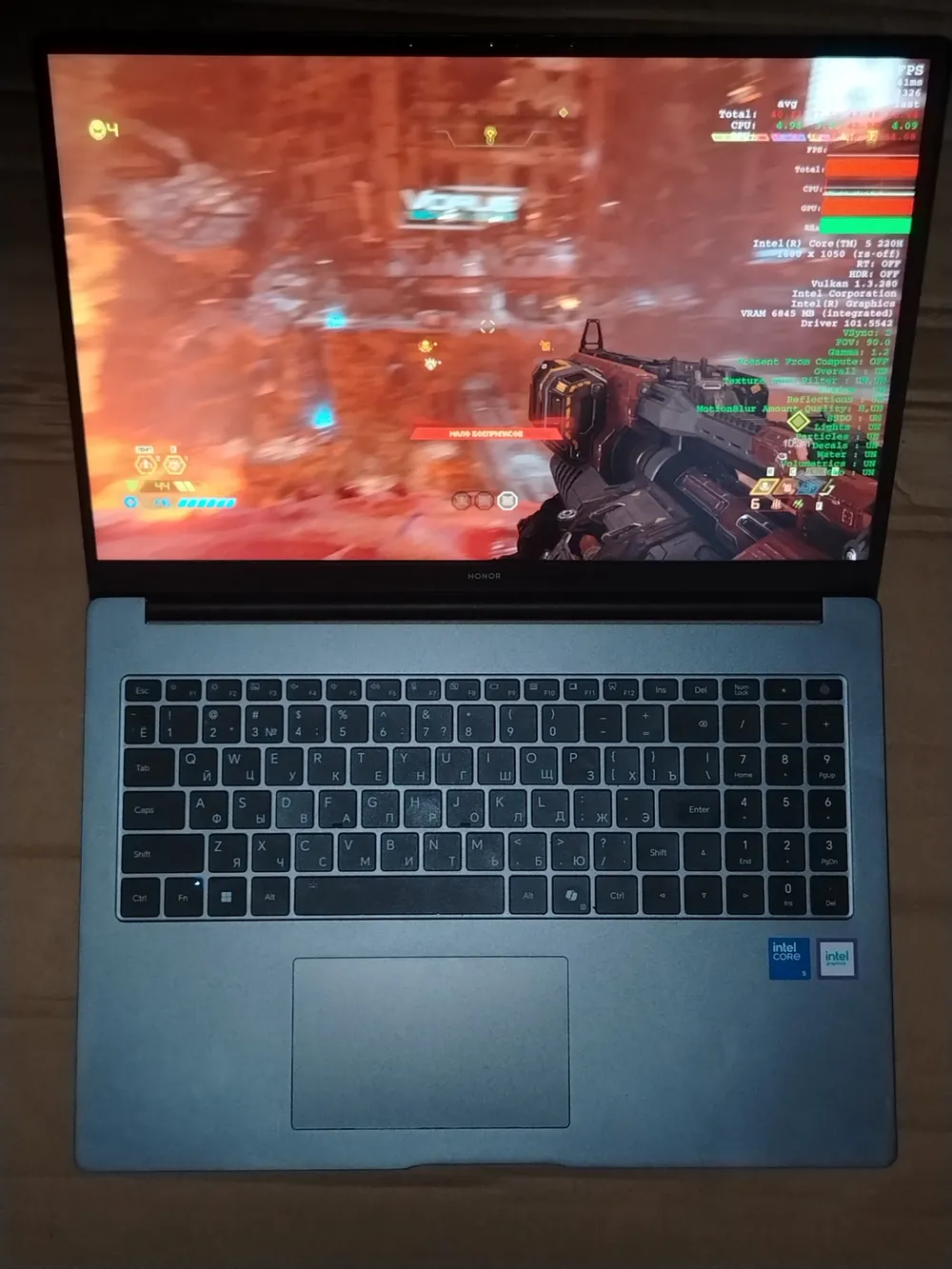

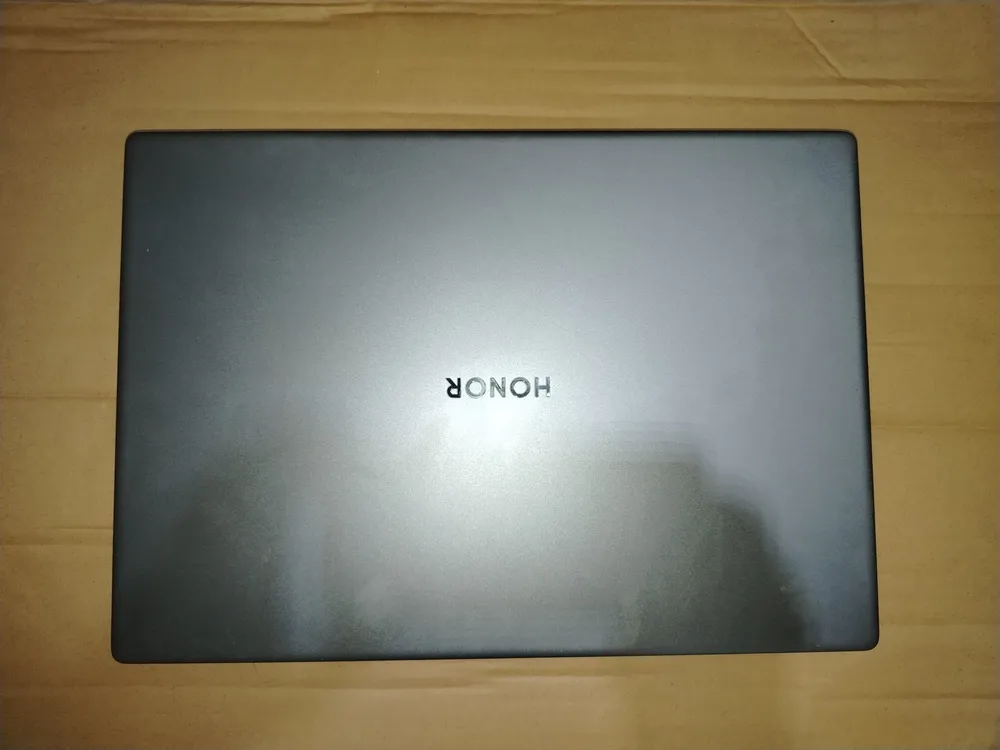


The 16-inch screen with a resolution of 2560x1600 has an anti-glare coating and supports Eye Comfort technology with dynamic brightness to reduce eye strain. The standard display features for today, including blue light reduction (certified by TÜV Rheinland) and DC Flicker Free Dimming technology to eliminate flicker, are also present.
The keyboard, however, does not have backlighting (except for the indicator lights on the Fn and other mode keys). But it is almost full-sized — with arrow keys and a numeric keypad. However, it lacks a Print Screen key (you can use the combination Fn+F12 for that, but more on that later) and some other additional keys. Among the Fn combinations, there are ones that open various menus in Windows, control volume and brightness. The power button is also one of the keys (in the upper right corner) and has a sensor for fingerprint reading.
The trackpad is standard. Overall, using it and the keyboard is as comfortable as with any other laptop (especially from the MagicBook series). So, there are no problems here — just work away. However, for gaming, you will need to connect a mouse or gamepad. This leads us to the question of ports.
The ports on the HONOR MagicBook X16 Plus are minimal. On the right — USB Type-A and a headphone jack. On the left — another USB Type-A, one USB Type-C, an HDMI output for connecting an external monitor, and a power connector that can also work as a USB Type-C port.
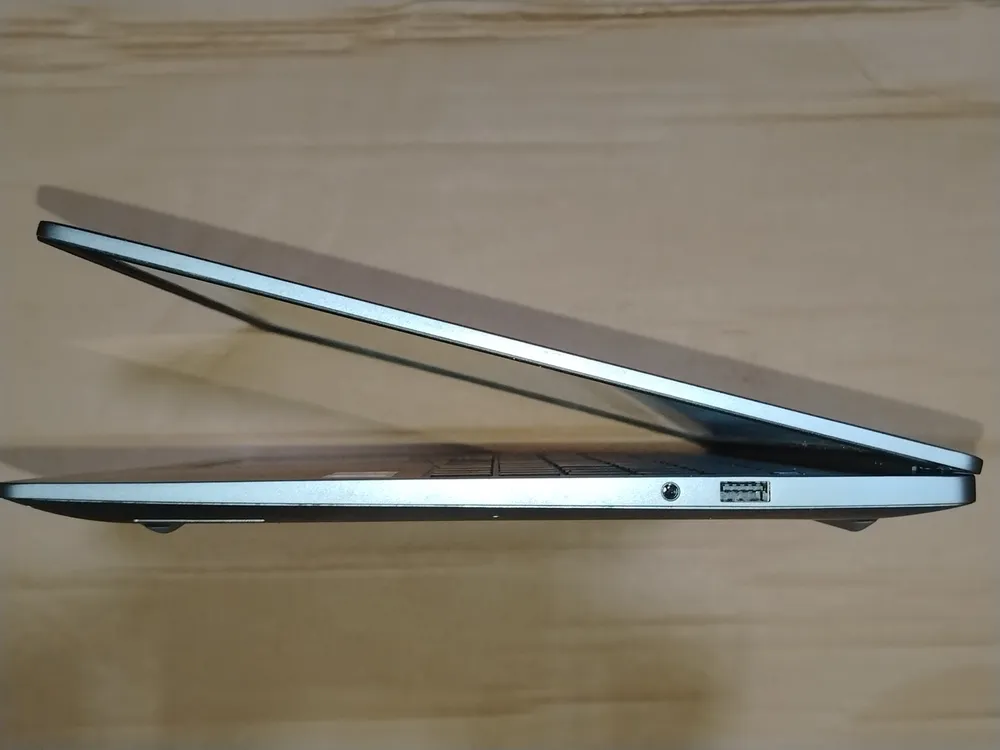
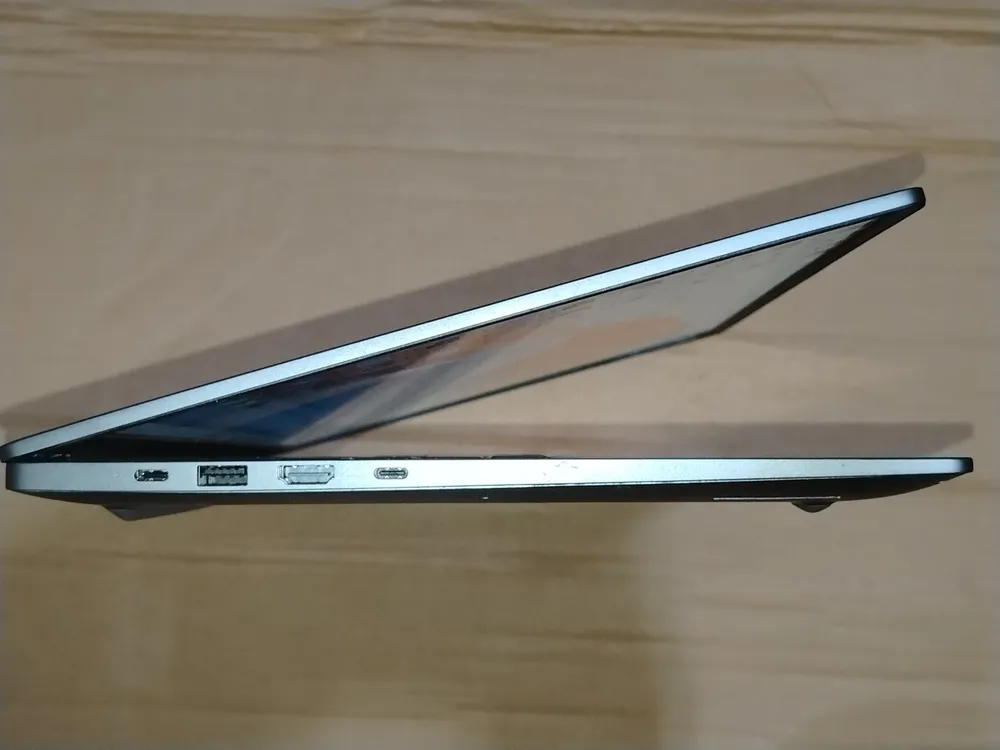
Overall, as I said, the design is quite standard, but also quite convenient. Additionally, the laptop can automatically turn on when the lid is opened — this is the default. In the settings of Honor PC Manager (more on that below), this can be disabled.
Content: Hardware
My sample of the HONOR MagicBook X16 Plus was equipped with an Intel Core i5 220H processor, 16 GB of RAM, an integrated Intel Graphics accelerator, and a 1 TB SSD, though divided into two logical drives (C: 299 GB, system, and D: 632 GB).
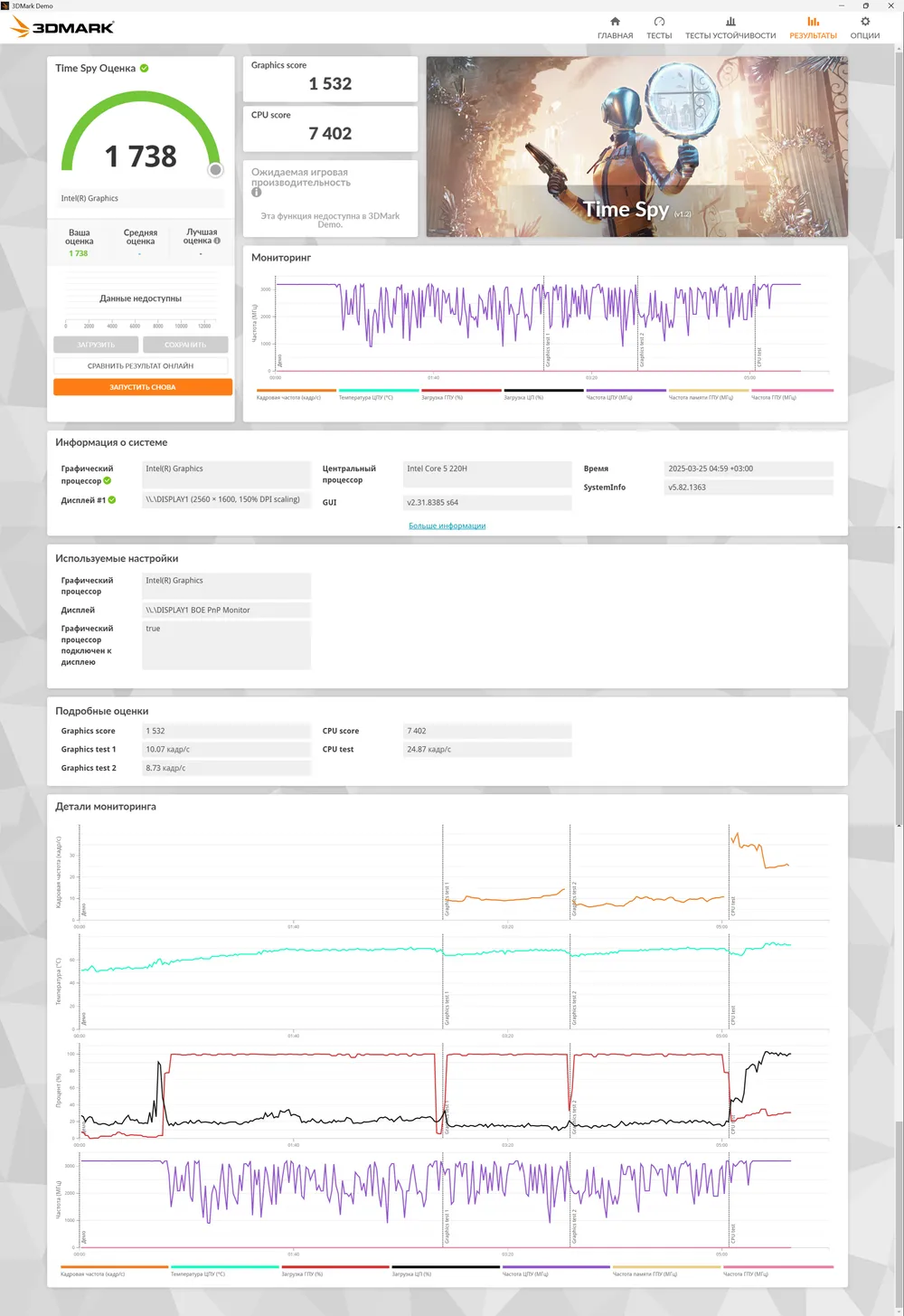
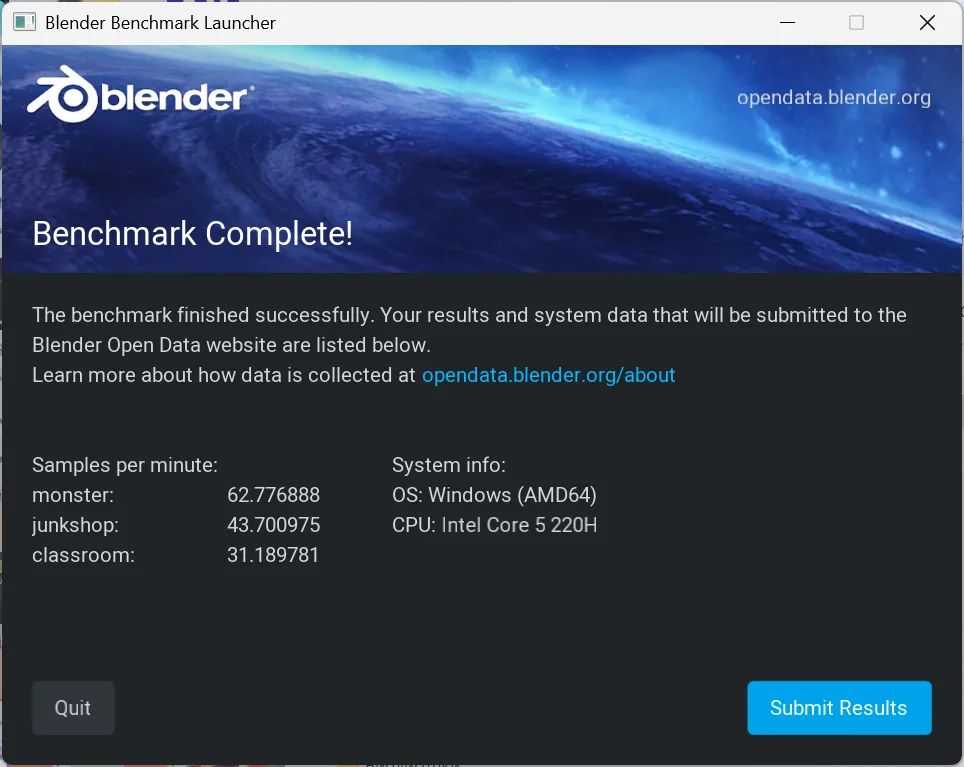
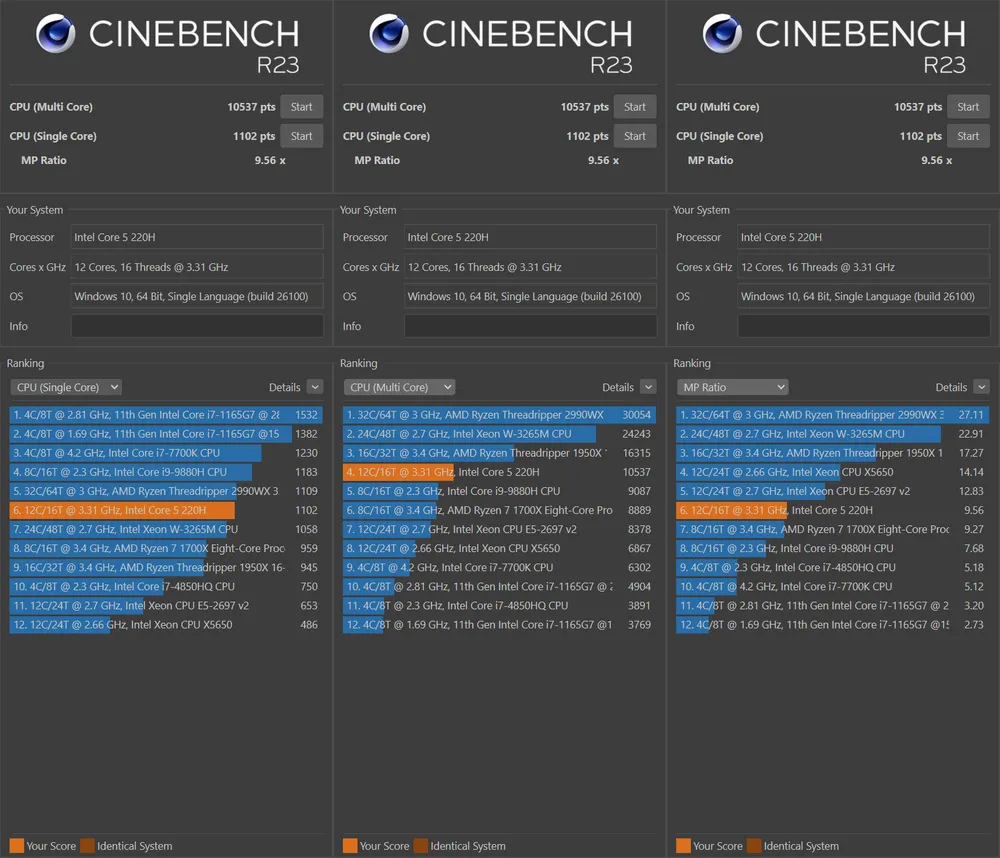
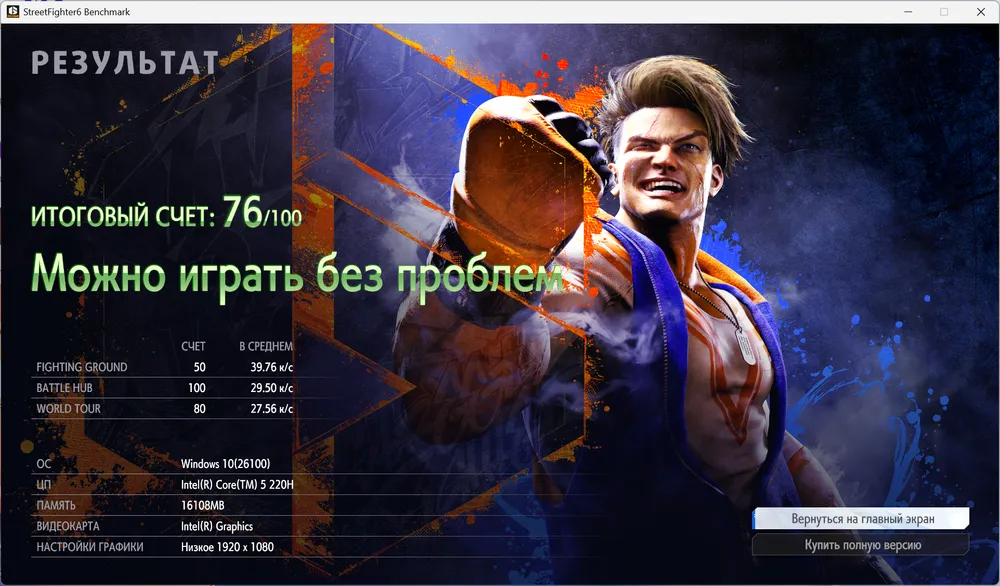
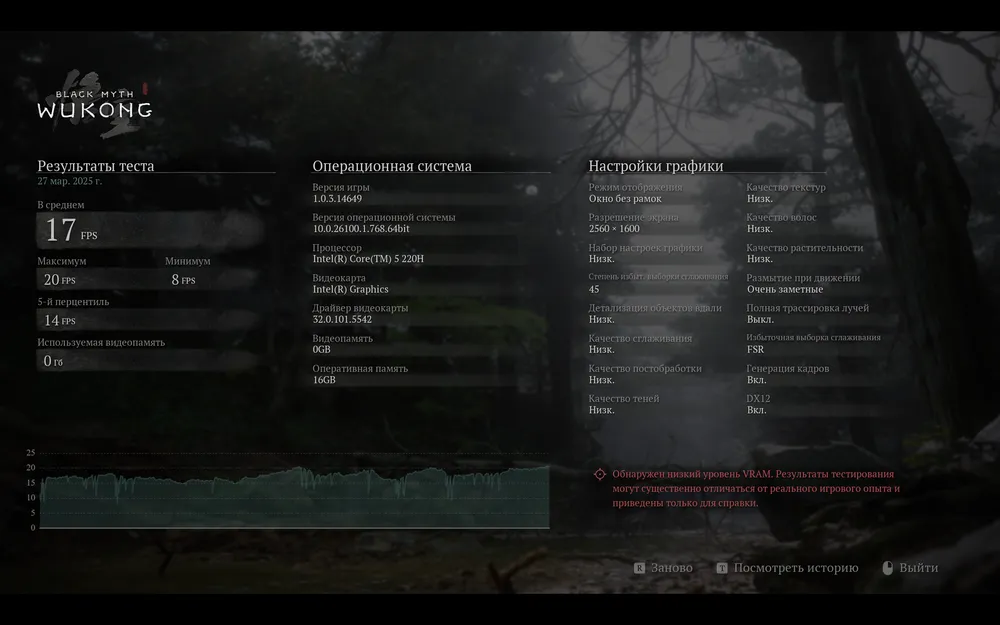
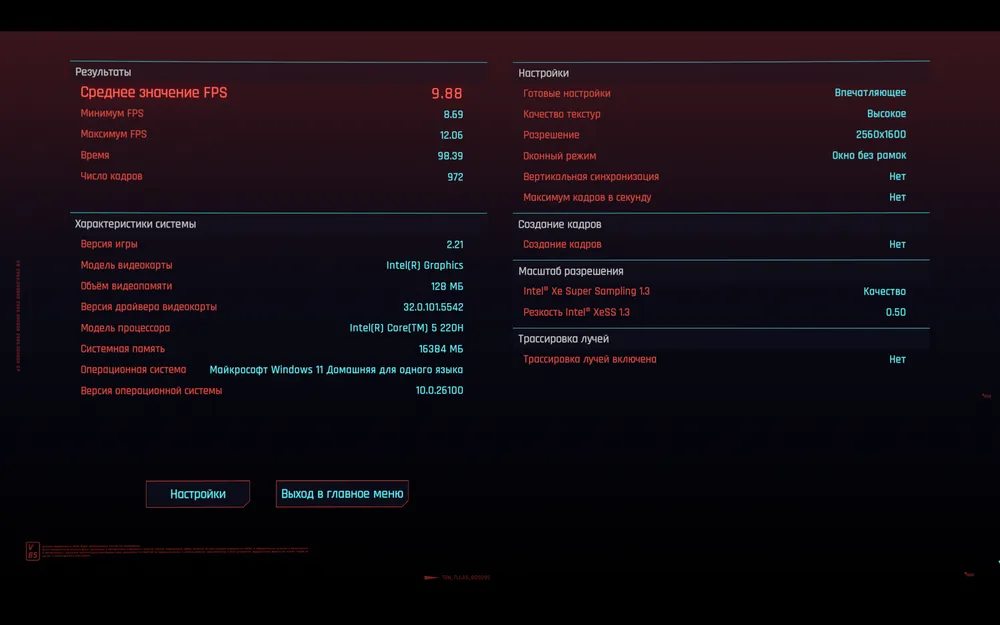

Performance tests show a very decent increase (by a factor of 1.5 in 3D Max) compared to last year's MagicBook X16. However, it is worth noting that the integrated graphics still does not fully support DirectX 12, so it will not be possible to run projects like Marvel Rivals or Robocop Rogue City on this laptop.
Otherwise, the performance of the new model is little different from the previous one. The disk operates at the same speed, loading the massive map of Humankind in 28 seconds. The system boots in 23 seconds.
The battery life, however, has somewhat reduced — to 5.5 hours of video viewing, even in power-saving mode. Games (I tested it with Strinova and [Age of Wonders](/games?search=Age of Wonders) 4) drain the battery in the standard 2 hours and 1 hour 40 minutes. Naturally, when running on battery, the performance mode cannot be enabled.
Additionally, the camera in this model turned out to be quite basic. It's a solution solely for video conferencing. Even the ability to set a virtual background, which was present in many other Honor models, is somehow missing.
Content: Software
Like other laptops from Honor, the HONOR MagicBook X16 Plus includes a program manager built into the operating system (Windows 11) — Honor PC Manager. Besides general functions for updates and technical support, it can switch the computer to performance mode (only when connected to mains) and connect to Honor mobile devices (for quick file transfers from a smartphone, for example).
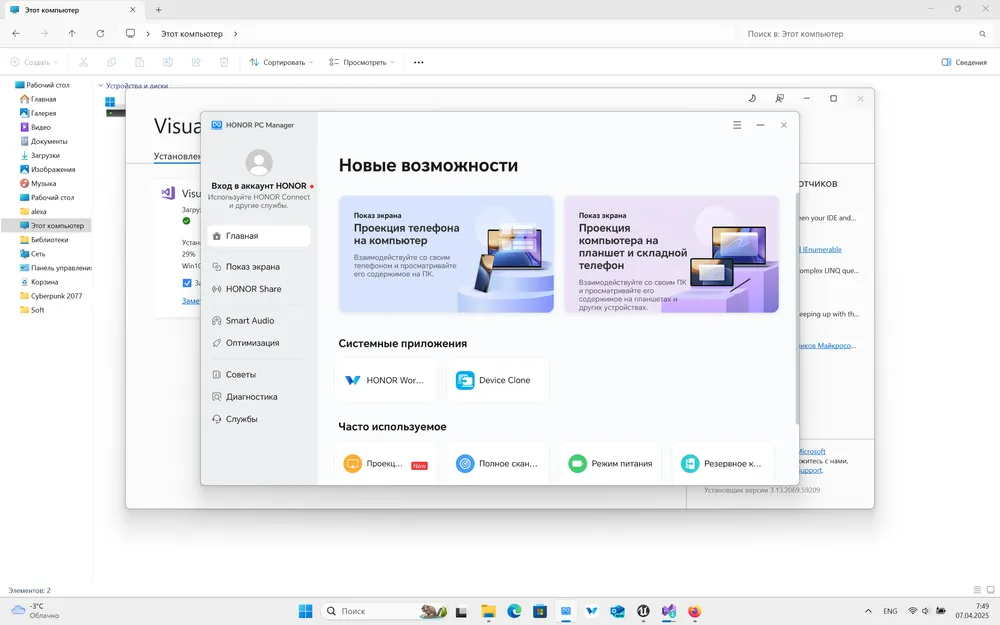
The Honor Share function, which allows transferring files over Bluetooth just by dragging them to Honor PC Manager, unfortunately, turned out to be unreliable when working with files larger than 100 MB. It would certainly be convenient to send files to the smartphone (or receive them) at a speed of 3 MB/s without unnecessary movements.
The manager can be called up using the key combination Fn+F10. However, there is no keyboard shortcut to switch to performance mode (and back), moreover, you can't take a screenshot with one press either — you have to press Fn+F12, and then choose to take a screenshot of the entire screen, window, or area. I understand that few people need to take desktop screenshots, especially often, but still — the lack of convenience that is present on all other laptops did not please me (I had to take quite a few screenshots of test results!).
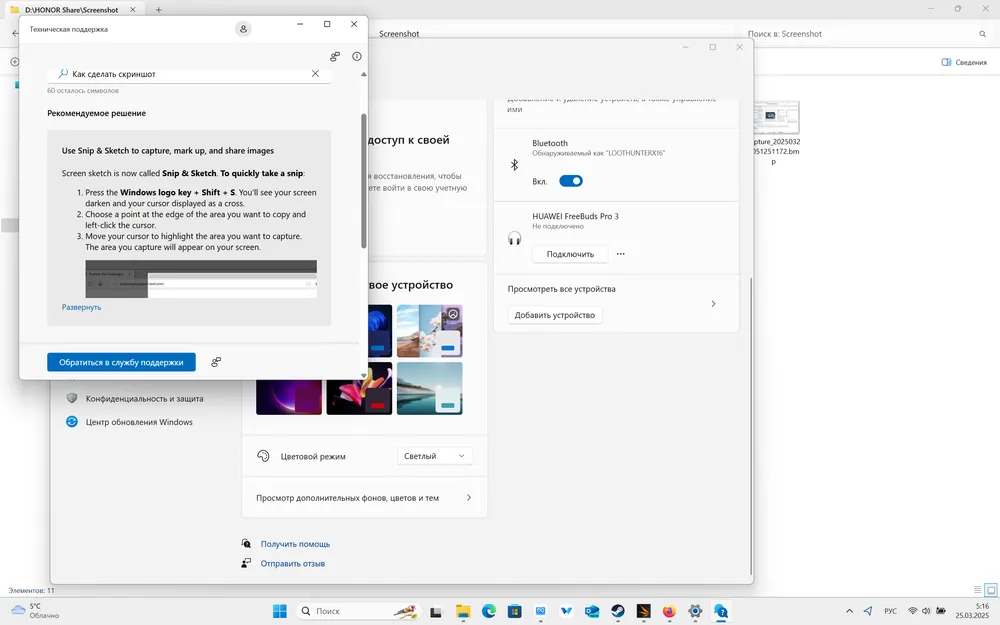
Otherwise, there are no complaints about the interface. I would like to note that, as with other Honor models, there is a reset function, which, like with tablets/smartphones, erases all installed applications and data, returning the computer to its original state. If you occasionally lend the laptop to others and privacy is important to you — this is a very useful feature.
Conclusion
The HONOR MagicBook X16 Plus, released in 2025 (specifically its variant with 16 GB of RAM that I had), now costs about 55,000 rubles. This is quite a reasonable price for adequate hardware, lightness, and several very useful features for those who work with documents and multimedia on the go.
However, gamers, especially those who play new titles, will likely find this model unsuitable due to compatibility issues. Those who often find themselves in places where there is no way to recharge may also be dissatisfied — there is a risk that the battery will die during work.