
Overview of the HUAWEI MatePad Pro 13.2’’ (2025)

It's LootHunter again, and I am once again presenting a review of the HUAWEI MatePad Pro tablet. This time it's from 2025.
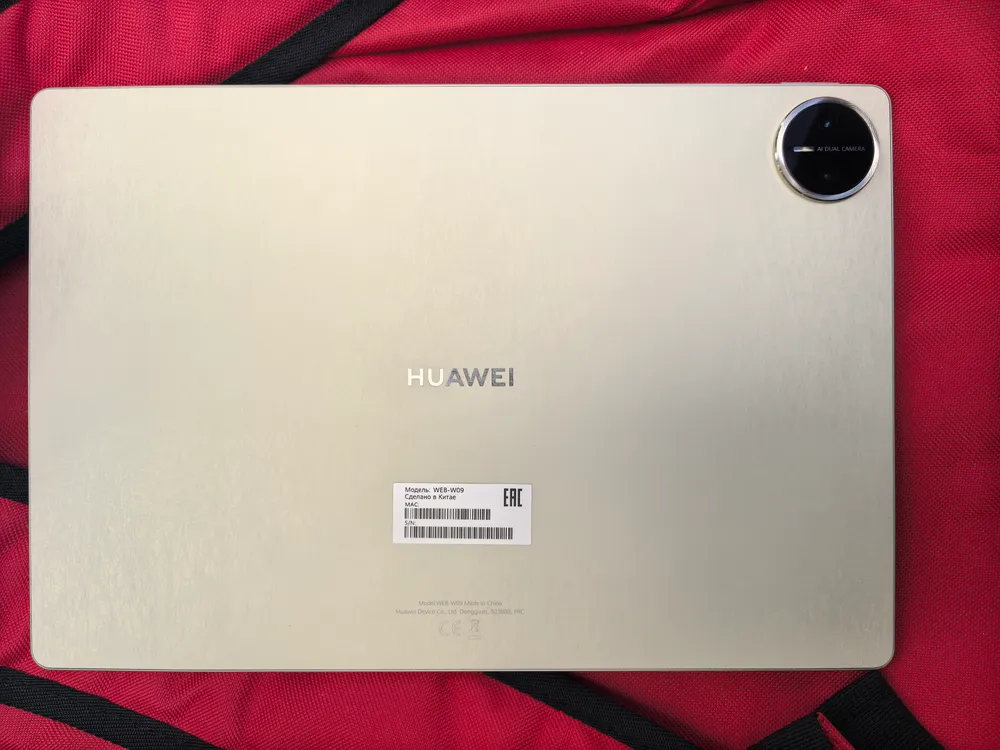
This model goes by the code WEB-W09 and features a 13.2-inch matte display. It is precisely due to this display that the tablet carries the PaperMatte Edition label (although for some reason, this isn't always included in the description).
Design
Overall, the design of the HUAWEI MatePad Pro PaperMatte Edition 2025 meets the standards for such devices. Traditionally, Huawei offers a keyboard and stylus as accessories.
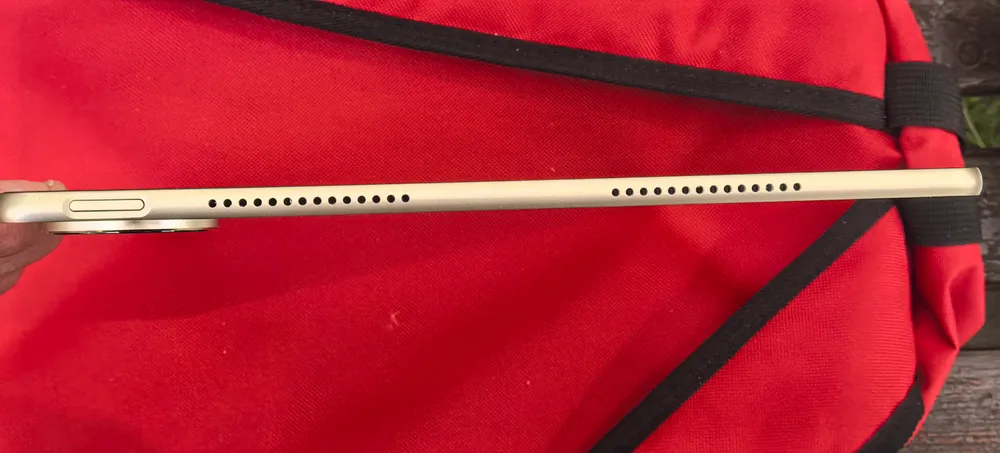
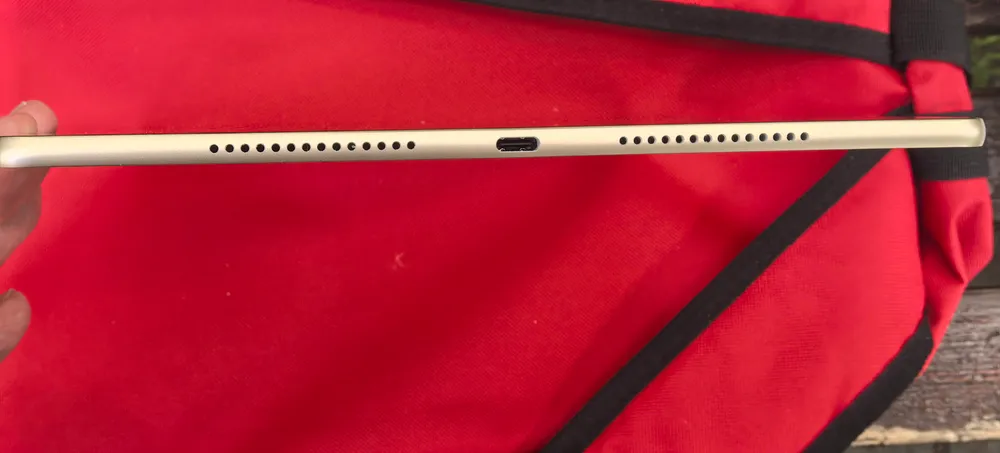
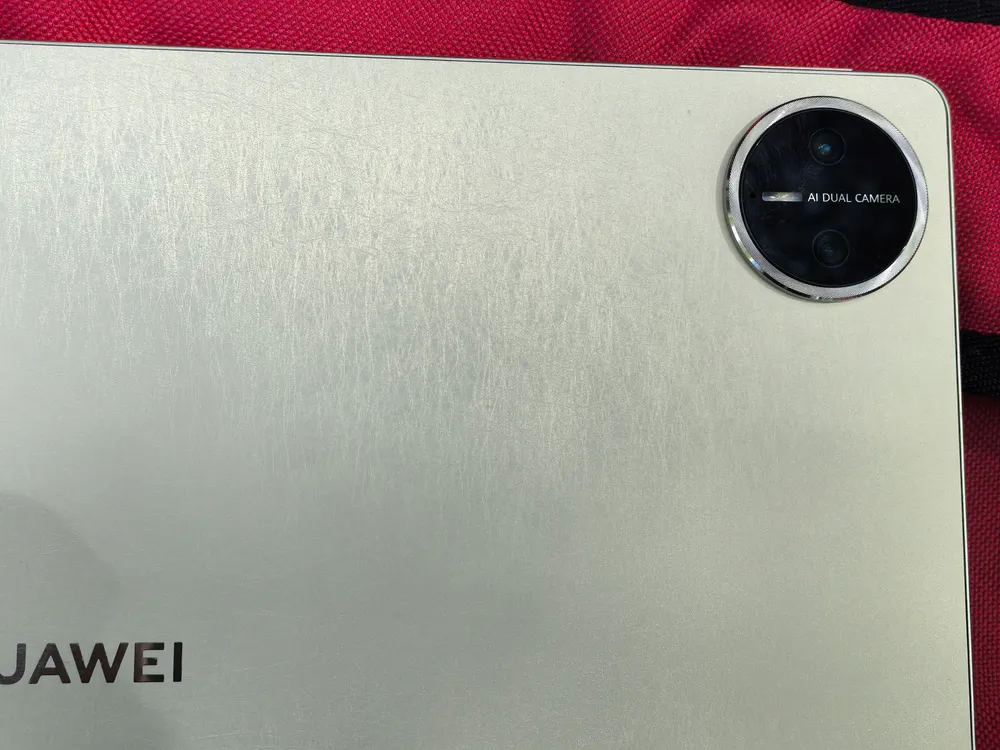
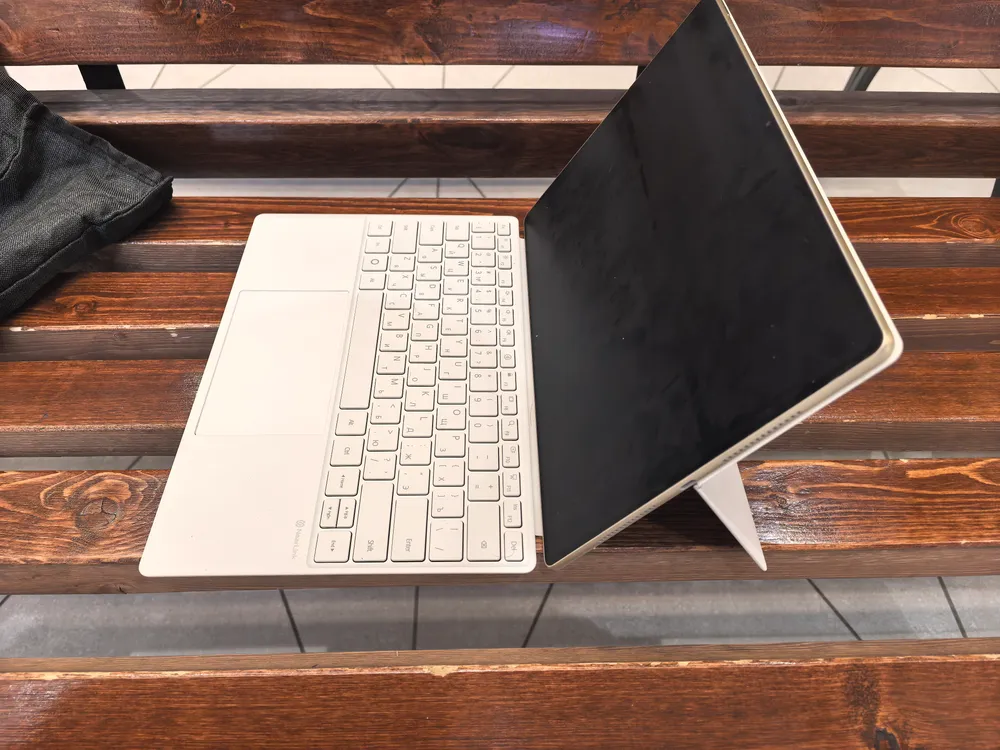
I mentioned accessories at the beginning of the "design" section for a reason. The tablet, firstly, has a special magnetic 'cover' or rather just a panel that attaches to the back. This panel has a hinge in the middle, and if you fold the lower part back, it turns into a stand that allows you to set the tablet vertically. After that, you can attach the keyboard (which also comes in the set) and type as if on a mini-laptop.
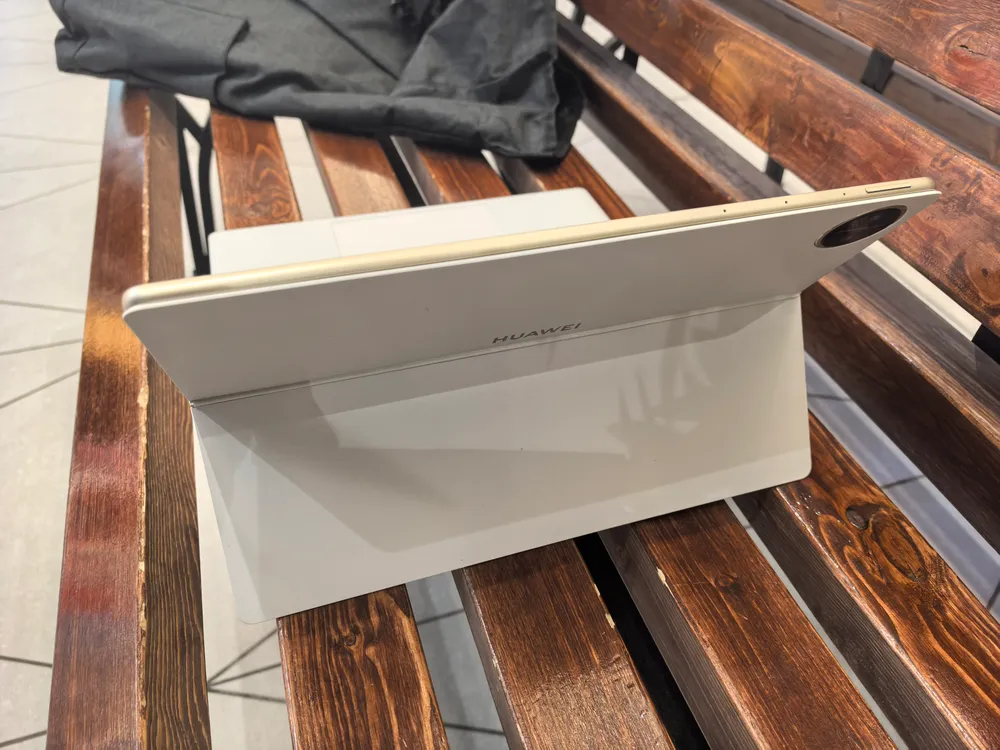
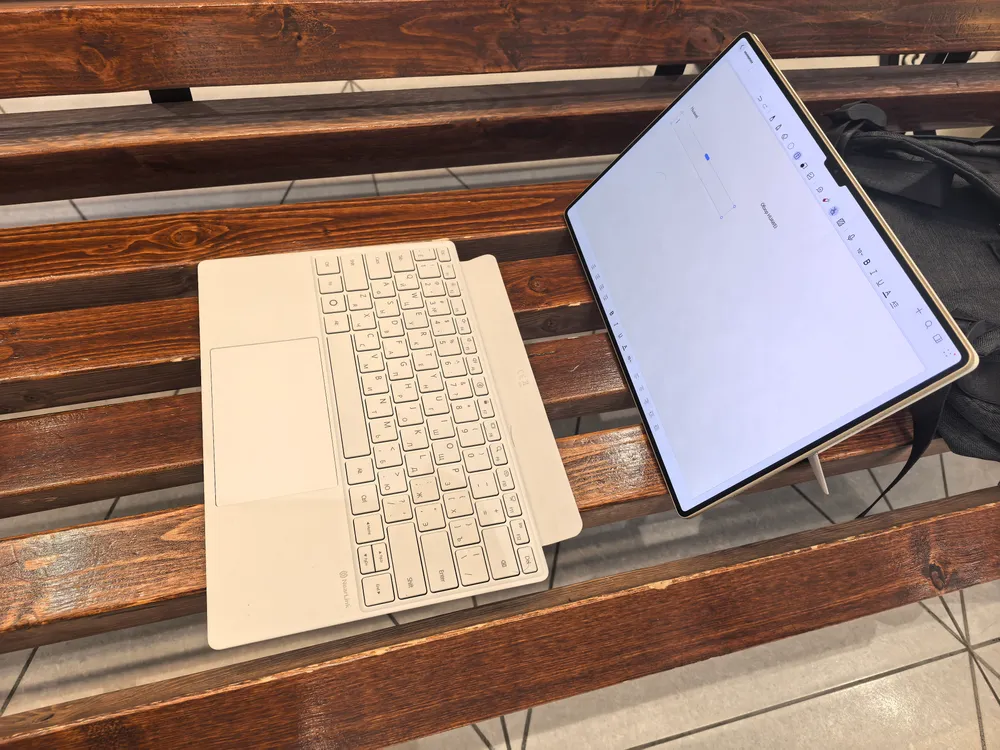
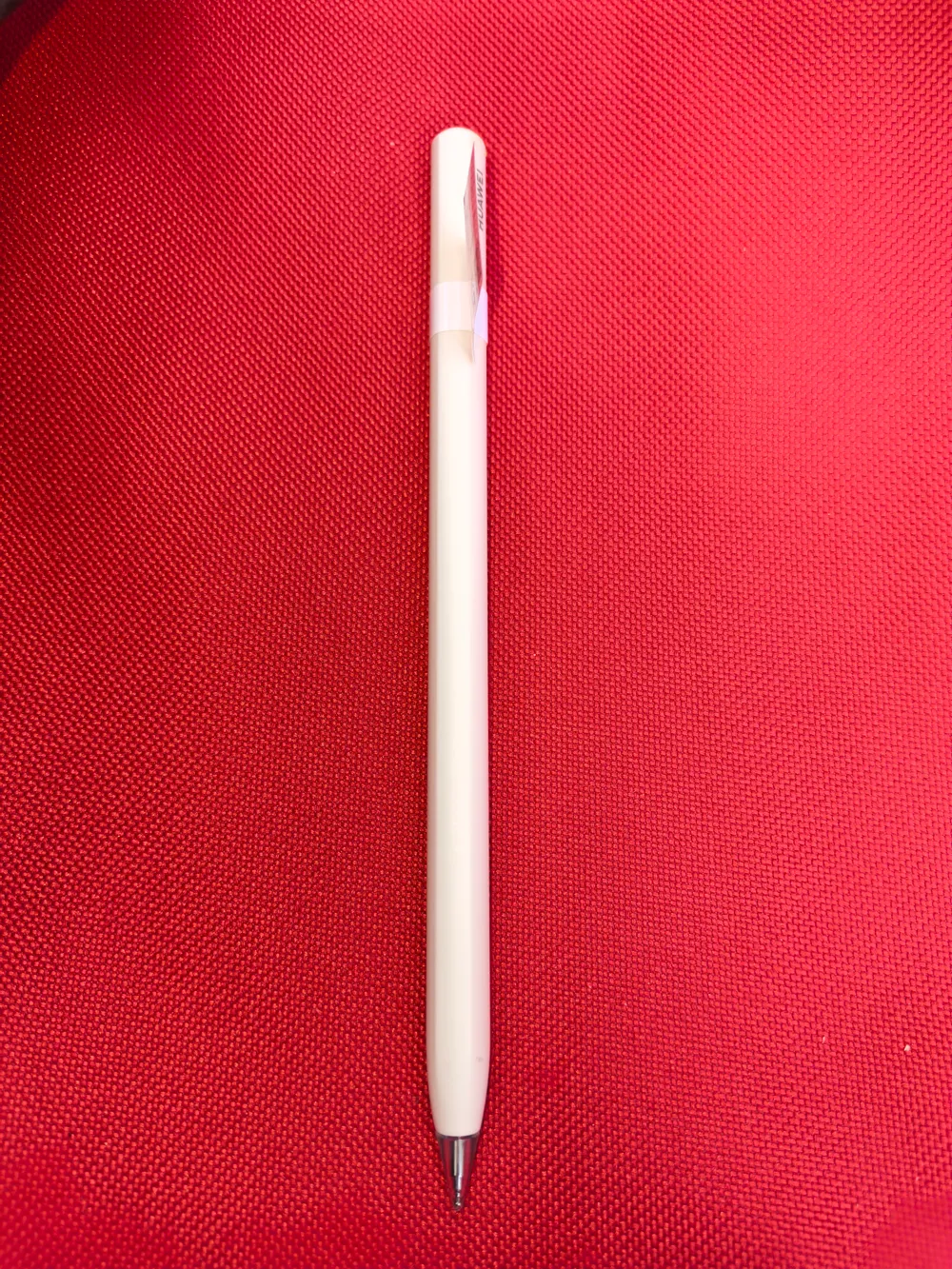
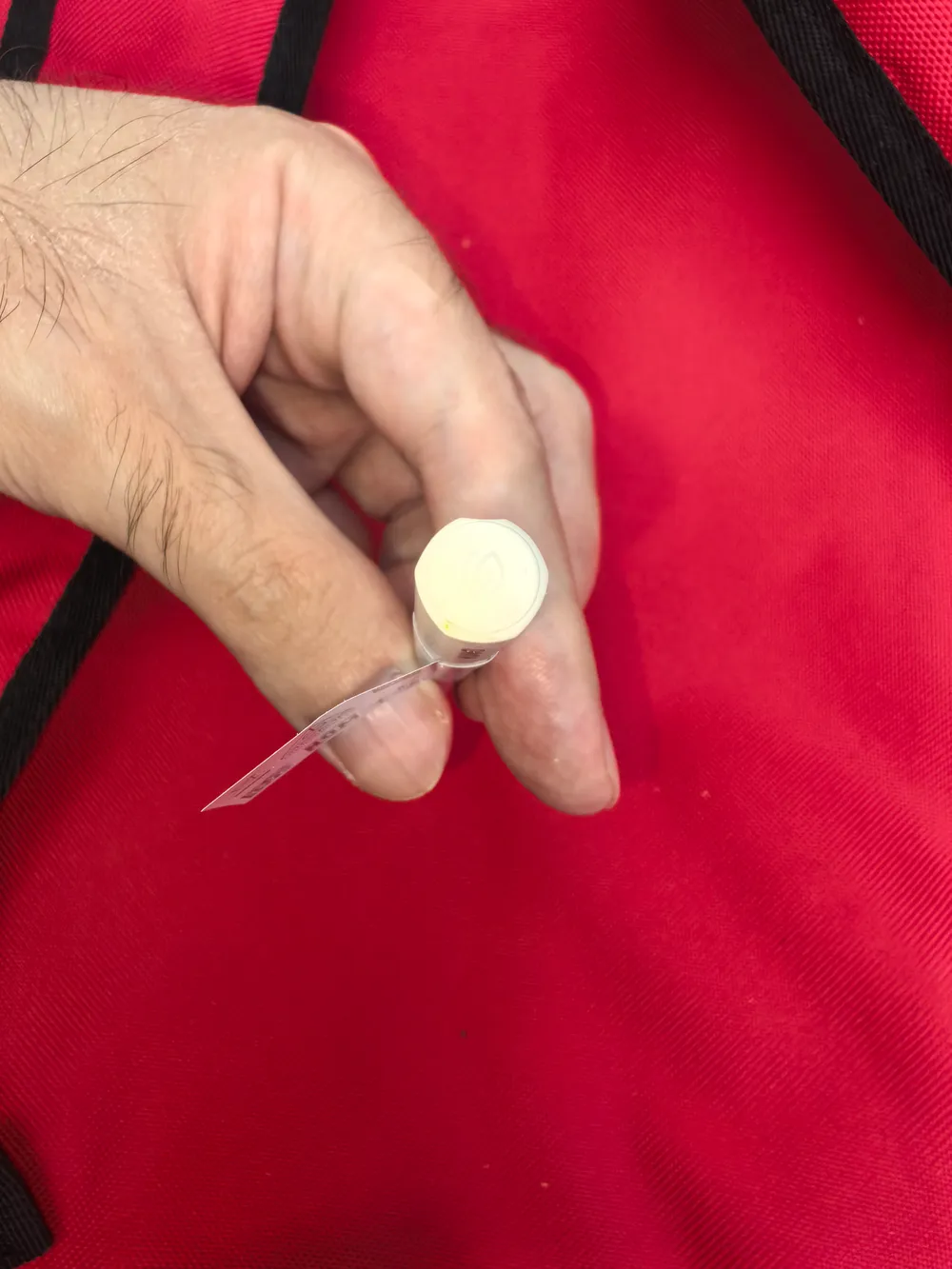
Secondly, a magnet is built into the "top" edge of the tablet, which attaches the drawing stylus. By attaching it to the magnet, you activate the stylus charging and pairing with the tablet. It is worth noting, however, that the stylus is not included in the basic package. Therefore, amateur artists will have to pay extra, or buy it during promotions when Huawei occasionally gives it away as a gift.

Regarding the keyboard, it is a 'trimmed' version, meaning it lacks a separate numeric keypad. Many keys are combined. For example, PgUp, PgDn, Home, and End are arrows combined with Fn. However, there is a separate button with a circle that performs many useful actions in combination — it switches between applications, calls the control panel, and so on. Nevertheless, since the tablet operates on the Android system, you will likely navigate the menu and perform other actions with your fingers on the screen.
By the way, the keyboard, like the stylus, connects to the tablet using Huawei's proprietary NearLink technology. This is a completely new protocol developed by Huawei to combine the best properties of Bluetooth and Wi-Fi. Thus, the keyboard can be detached from the cover (they are connected by a magnetic clasp, so it's easy) and placed a distance away while you type.
I should also mention the charging for the stylus and keyboard. The keyboard charges when its back is attached to the bottom of the tablet's rear side. At the same time, you can work on it. During the stylus charging, naturally, you cannot use it, but its charge lasts more than 6 hours of continuous drawing. You are more likely to get tired and need a half-hour break (that’s how long it takes for the stylus to fully charge).
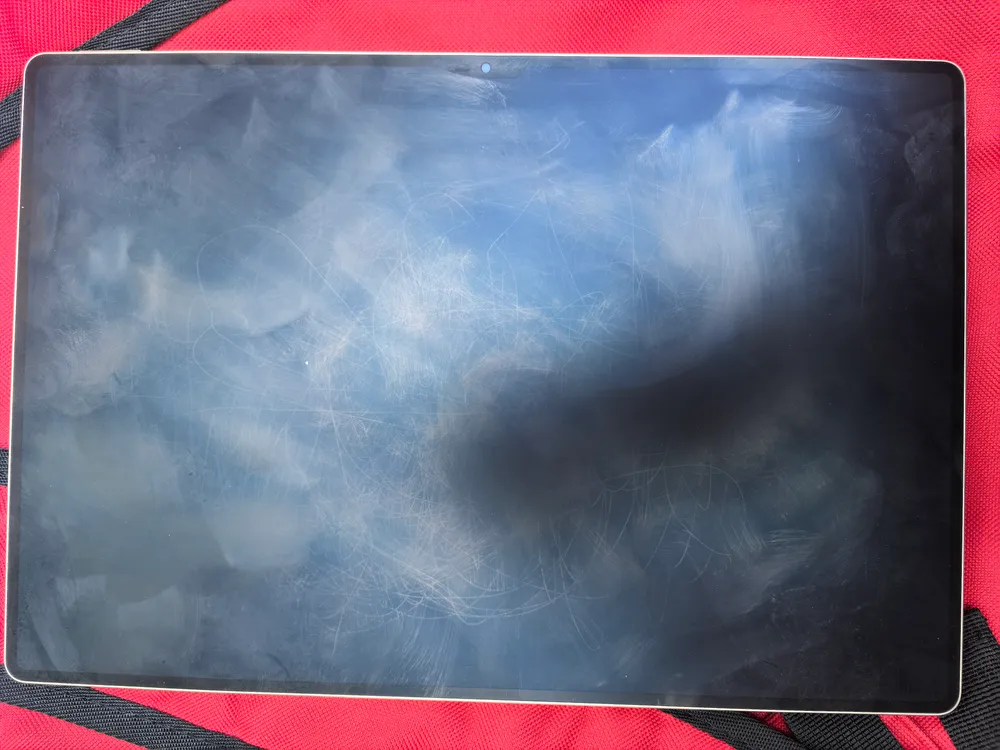
The tablet's screen is a 13.2-inch OLED with a resolution of 2880 × 1920. The 144 Hz refresh rate makes it an excellent choice for mobile gaming enthusiasts (including esports disciplines like MLBB), and thanks to HUAWEI X-True technology, the screen has professional color accuracy and a P3 color gamut. It has the usual protection certificates against blue light and flickering from TÜV Rheinland. The mentioned PaperMatte coating emits soft light and diffuses glare. It's a pity, though, that fingerprints are more visible on this coating and harder to remove than usual.
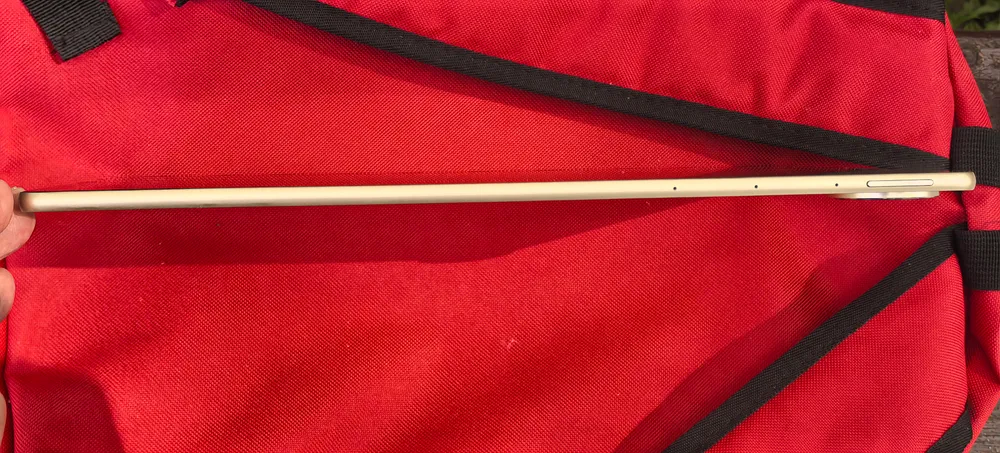
The tablet has only one wired connection port. So, there is no separate headphone jack — you either use wireless or those equipped with a special Type-C connector. Moreover, the latter is only possible when the tablet is not charging and not connected to a computer. This is relatively standard for most Huawei tablets/smartphones; the inconvenience solely depends on whether you use wired or wireless headphones.
Functionality
The tablet's main camera has two lenses (main and wide-angle module), as well as a flash. All of this is aesthetically integrated into a circle that slightly protrudes from the rear edge.
The quality of both photo and video is at a fairly high level. No worse than other Huawei smartphones/tablets… if you shoot from a medium or close distance. At a long distance, objects become quite blurry, which is especially noticeable when using the 'zoom' function.


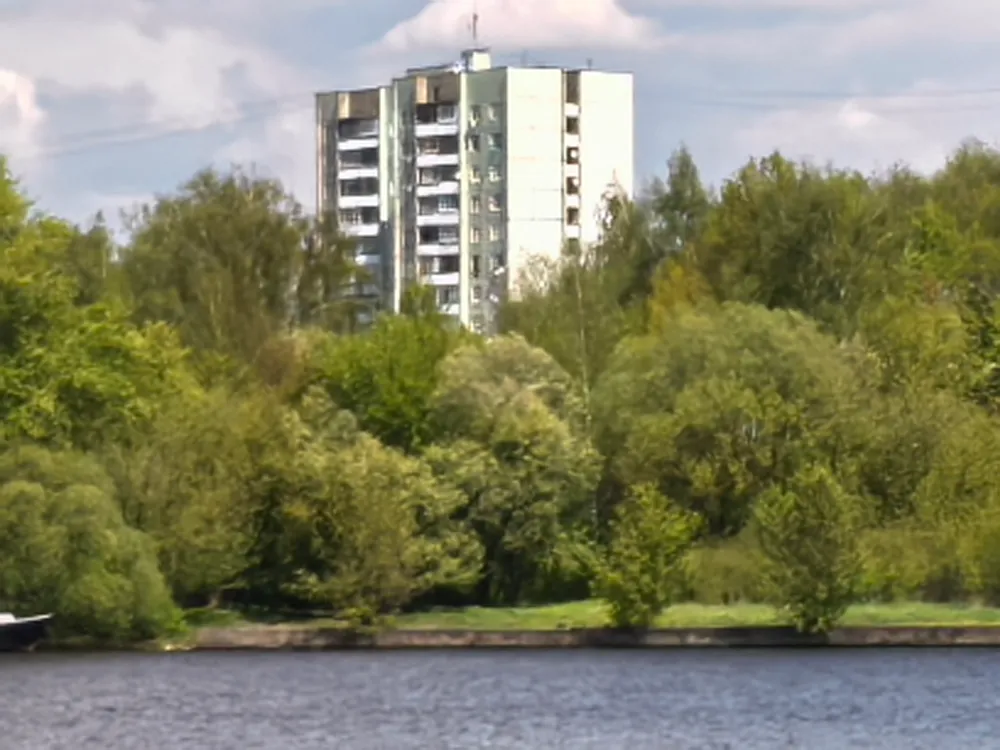
The zoom function itself is also limited to 10x zoom. However, you can take panoramic shots. There are several options for 'decorating' photographs. There is even slow-motion and fast shooting. Unfortunately, as with Mate XT, the automatic feature meant to activate slow-motion shooting when a fast object enters the frame does not always work adequately.
The front camera is also typically installed — above the screen, just below the top edge of the tablet. Its 'eye', by the way, is quite noticeable when it reflects on the matte surface. It shoots in good quality (though at a lower resolution) up close and fairly blurry from afar. But considering this camera is intended for portrait shooting, the latter is less significant.
Regarding accessories, I've already discussed their design and functioning. I will only add that the keyboard does not have a charge indicator anywhere. So, when working via wireless connection, it may turn off at the most inconvenient moment.
As for the stylus, it's worth noting the presence of a 'virtual button' that switches between drawing and erasing. To do this, you need to double-tap the stylus's side with your index finger when you hold it like a pen. Unfortunately, this feature only works in Huawei applications.
Oh, and one more thing: the stylus automatically turns on when you pick it up and shuts off after some time of inactivity (or when the charge runs out). As a result, during walking or traveling, occasional shaking might turn on the stylus, and its charge will be used up. So if you carry it with you, don't forget to recharge it.
To prevent you from having to switch styluses to keyboards unnecessarily, the tablet supports handwritten input directly on the 'on-screen keyboard'. Also in the 'Notes' and 'Notebook' — the default applications installed on the tablet. There are also special 'gestures' for the stylus, which allow you to quickly insert or remove spaces or erase mistakes while writing. However, you need to get used to using them.
In general, the default 'Notes' and 'Notebook' are not intended for professional (or even amateur) drawing. The line here when drawing is always the same thickness, with no accounting for tilt or pressure. Therefore, for professional drawing, Huawei offers a new app, GoPaint. Although even there, not all features are available (for example, you cannot finely adjust the brush's sensitivity to stylus tilt).
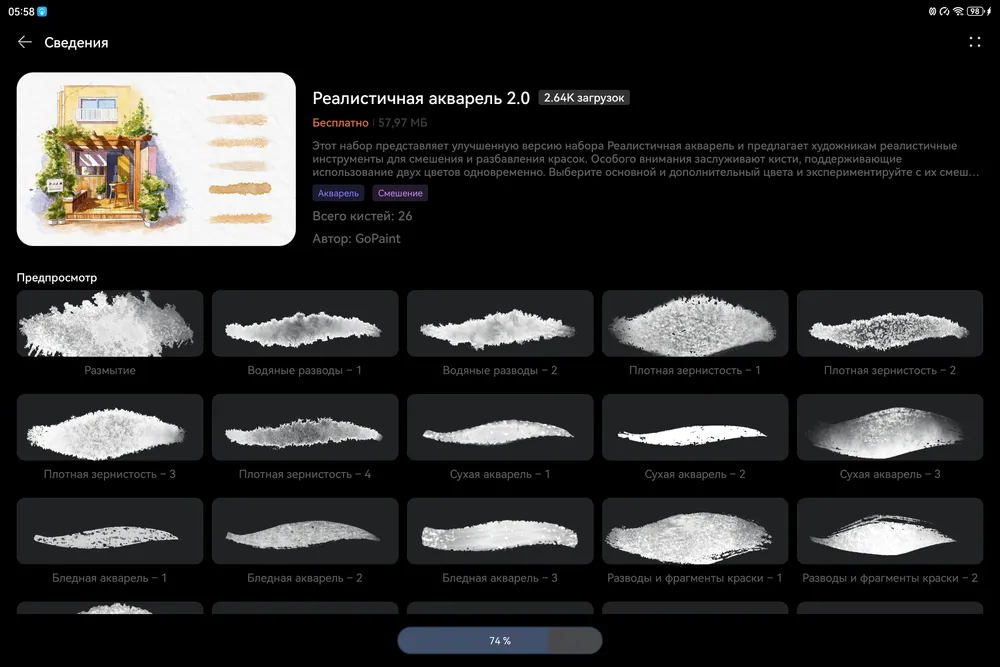
Despite the rich catalog of brushes and other drawing tools that can be downloaded in GoPaint with almost one click, I think professional artists will prefer to use professional applications like Krita.
Also, while drawing, you will need to place something underneath the tablet. The thing is, the hinge on the 'cover' protrudes slightly, causing it to wobble on a flat table surface (if you remove the cover, then the camera will protrude).
On the positive side, I want to highlight the high-quality sound recording (it has a speech enhancement feature and automatic noise suppression). Additionally, the ability for screenshots, long screenshots (when the screen automatically scrolls and everything compiles into one image), as well as screen recording (including with or without microphone recording — your choice) is impressive. These may seem like standard features, but they are far from standard for all manufacturers. Here you can also activate it via the context menu or with a key combination.
And since we're talking about standard things, I should also mention the features of Huawei Share and 'Super Device'. They are standard for Huawei products (though not for all) and enable various Huawei devices to connect with each other using all available protocols without unnecessary moves from the user.
Hardware and Software
In this model of HUAWEI MatePad, the Kirin T92 processor with 8 cores and a Maleoon 920 graphics accelerator is installed. It has 12 GB of RAM and (in the tested version) 512 GB of 'disk' space.
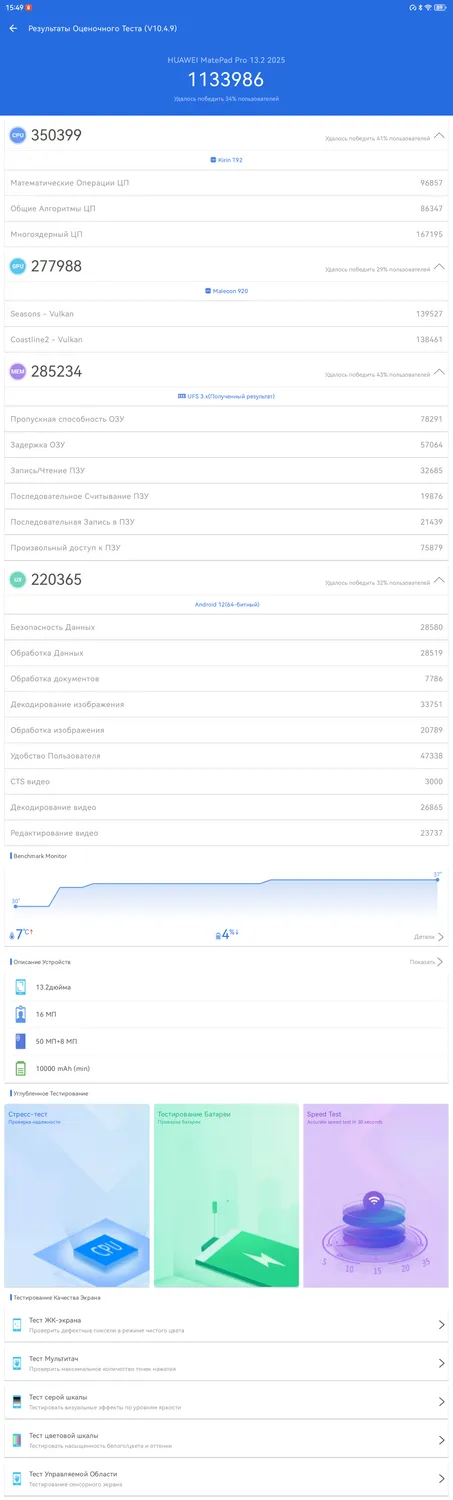
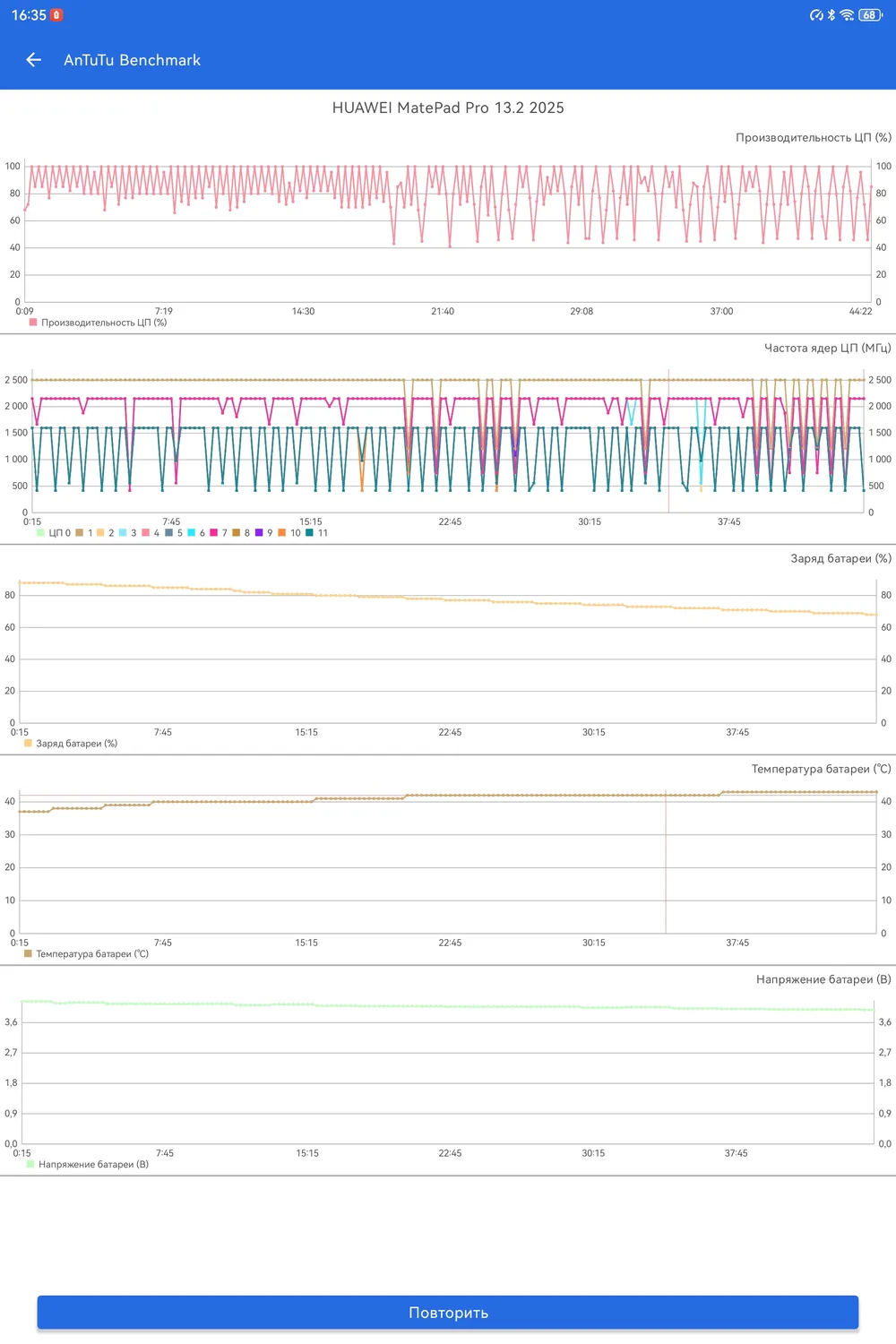

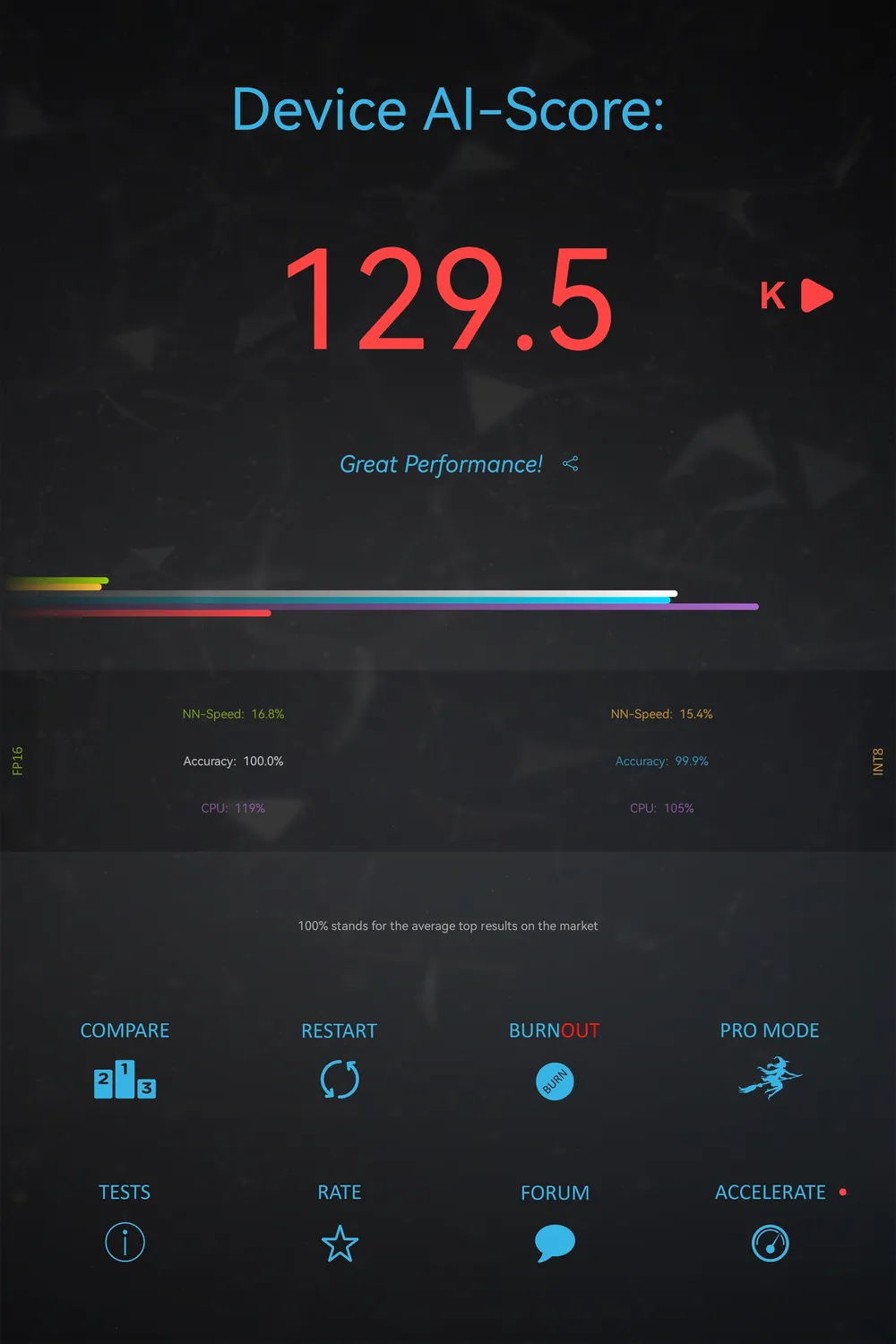

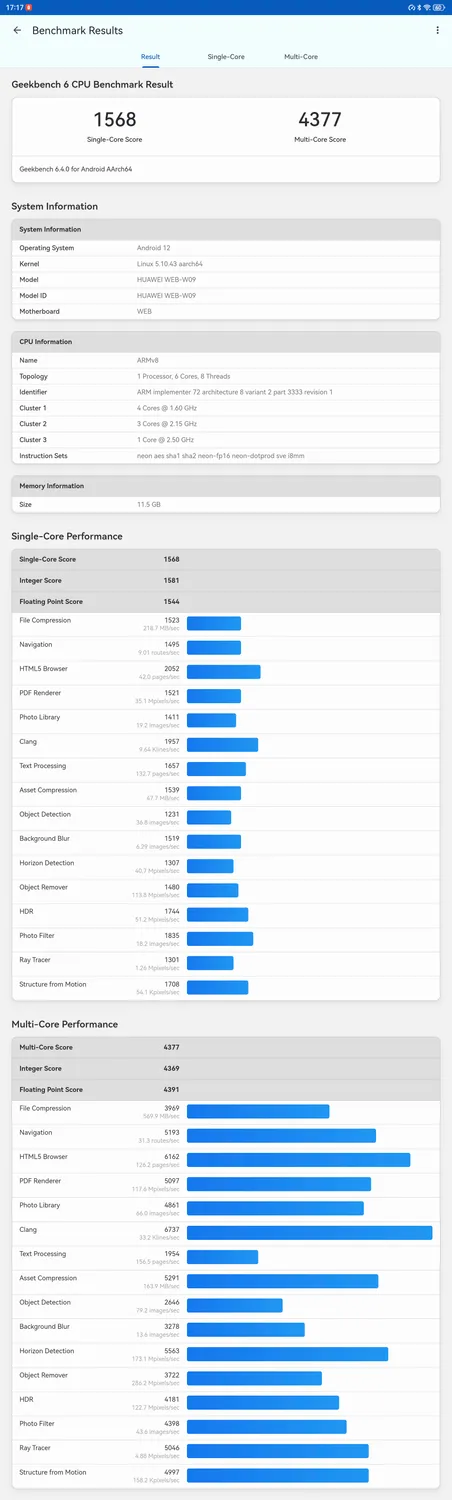
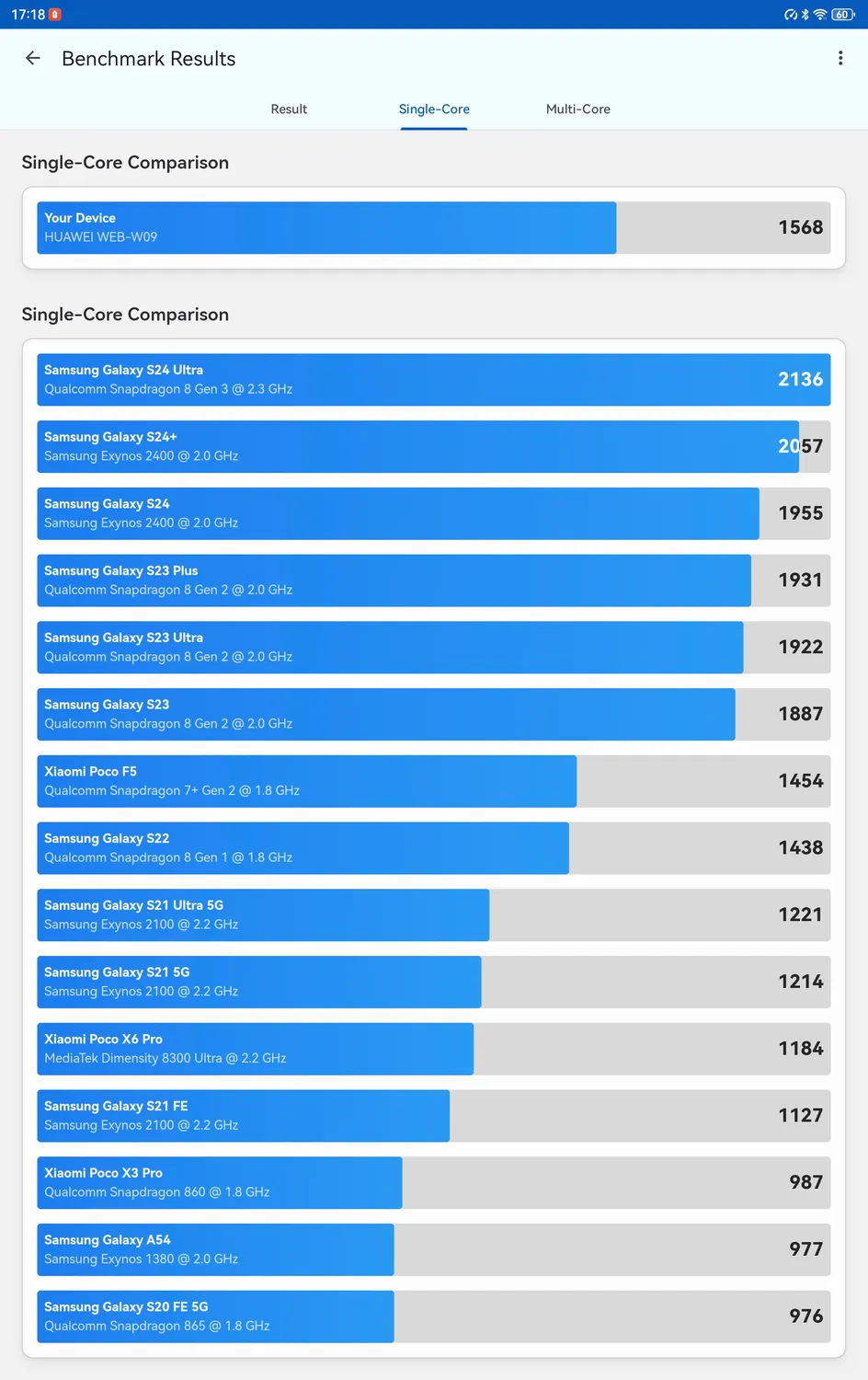
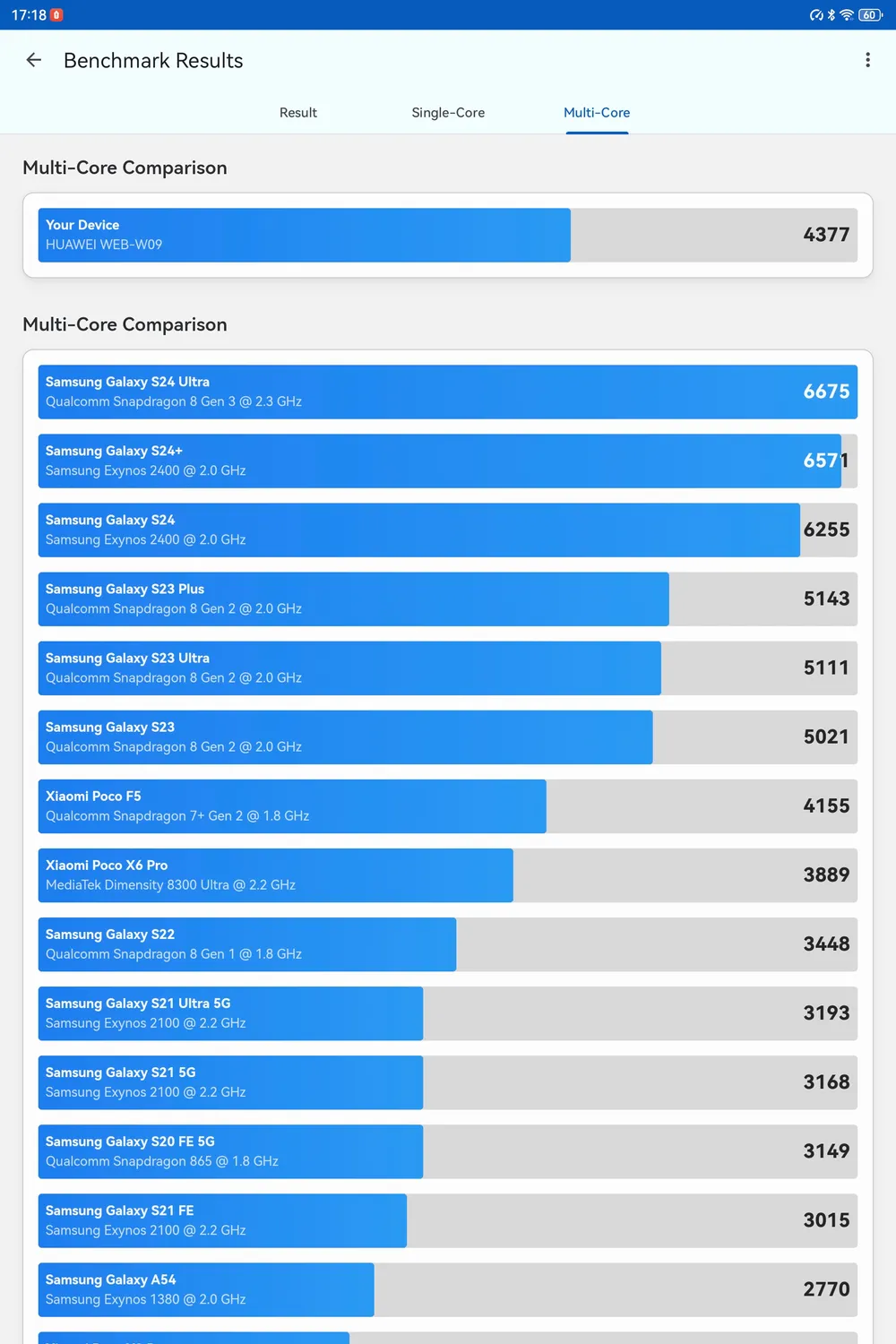
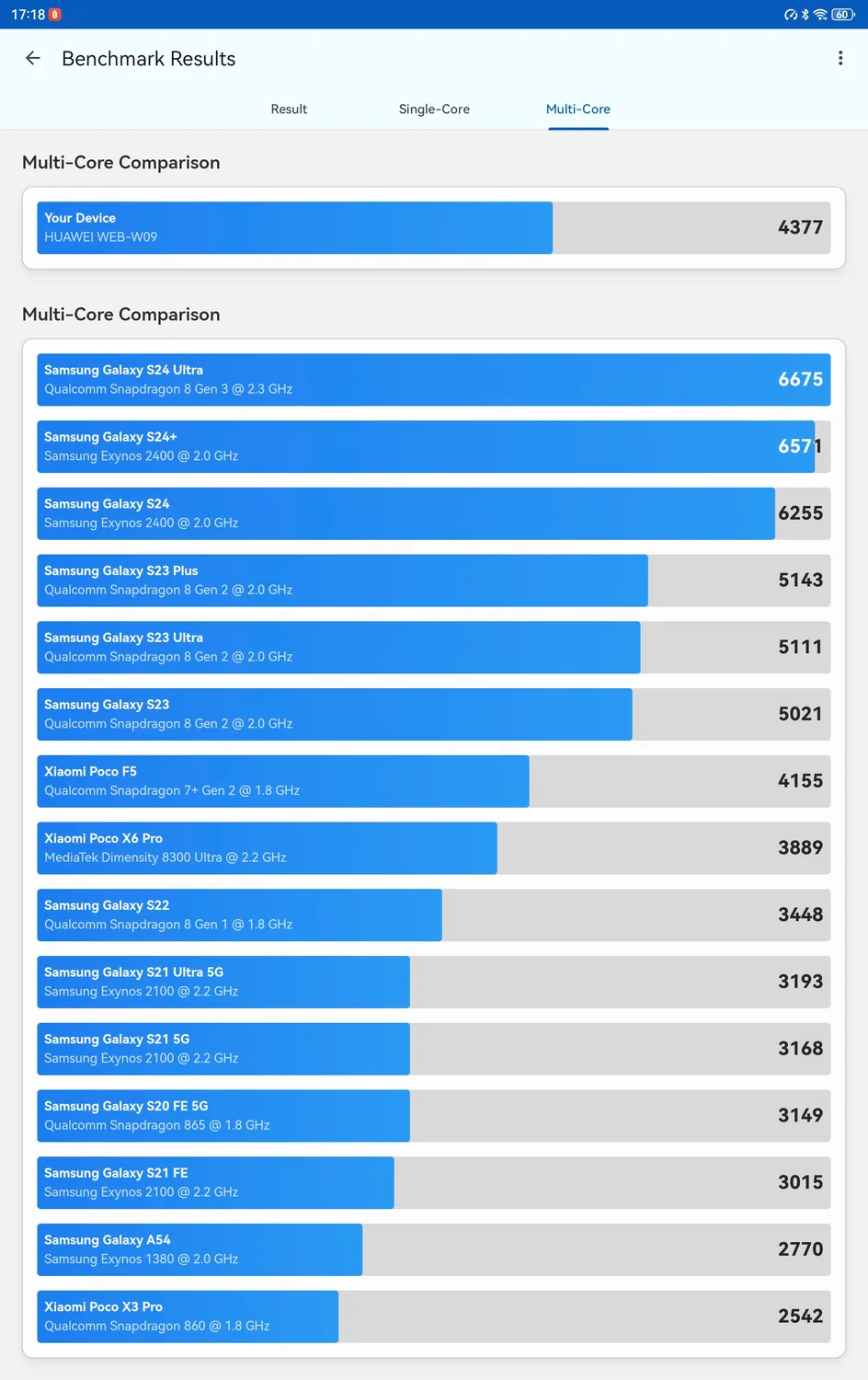
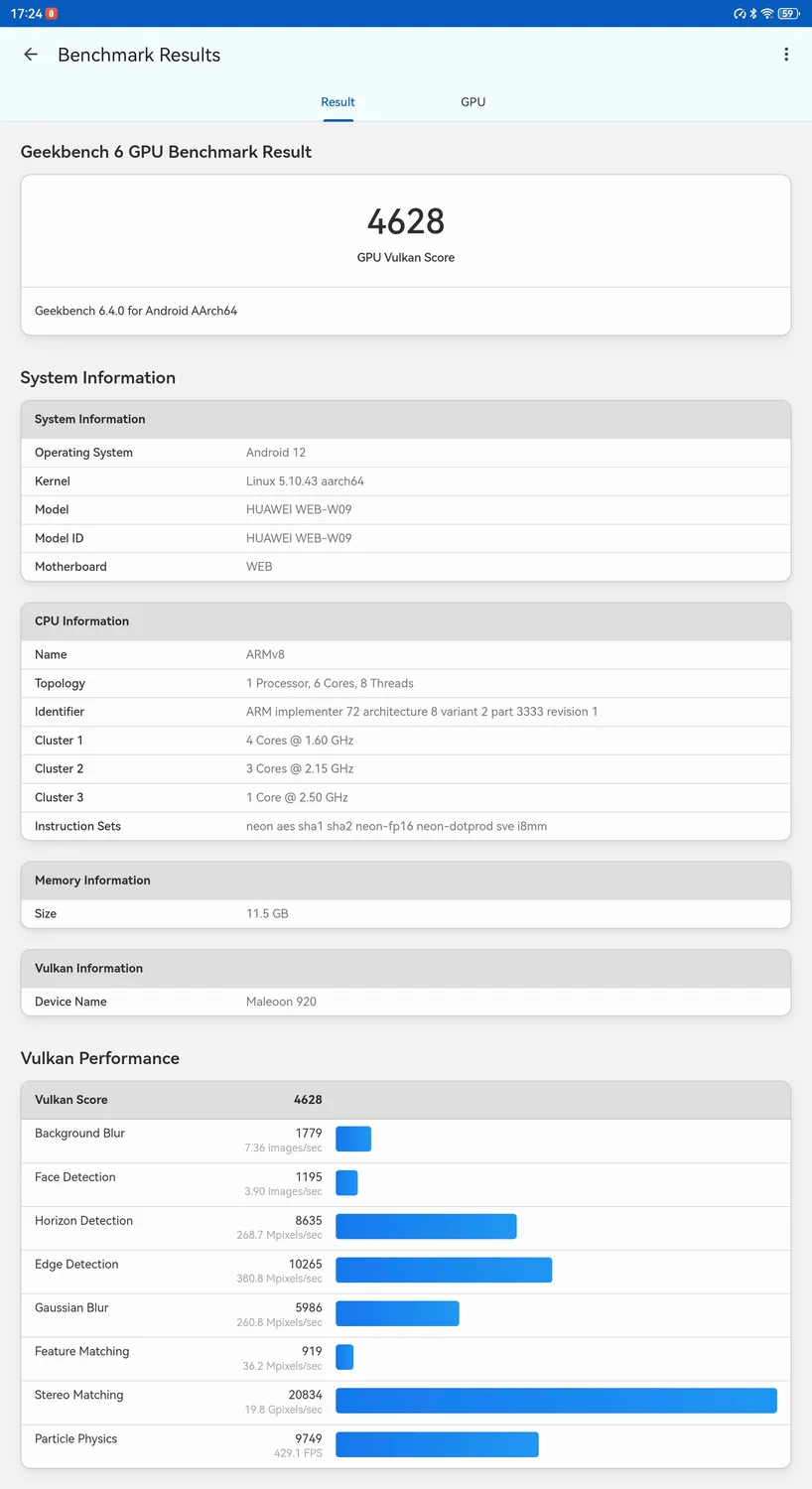

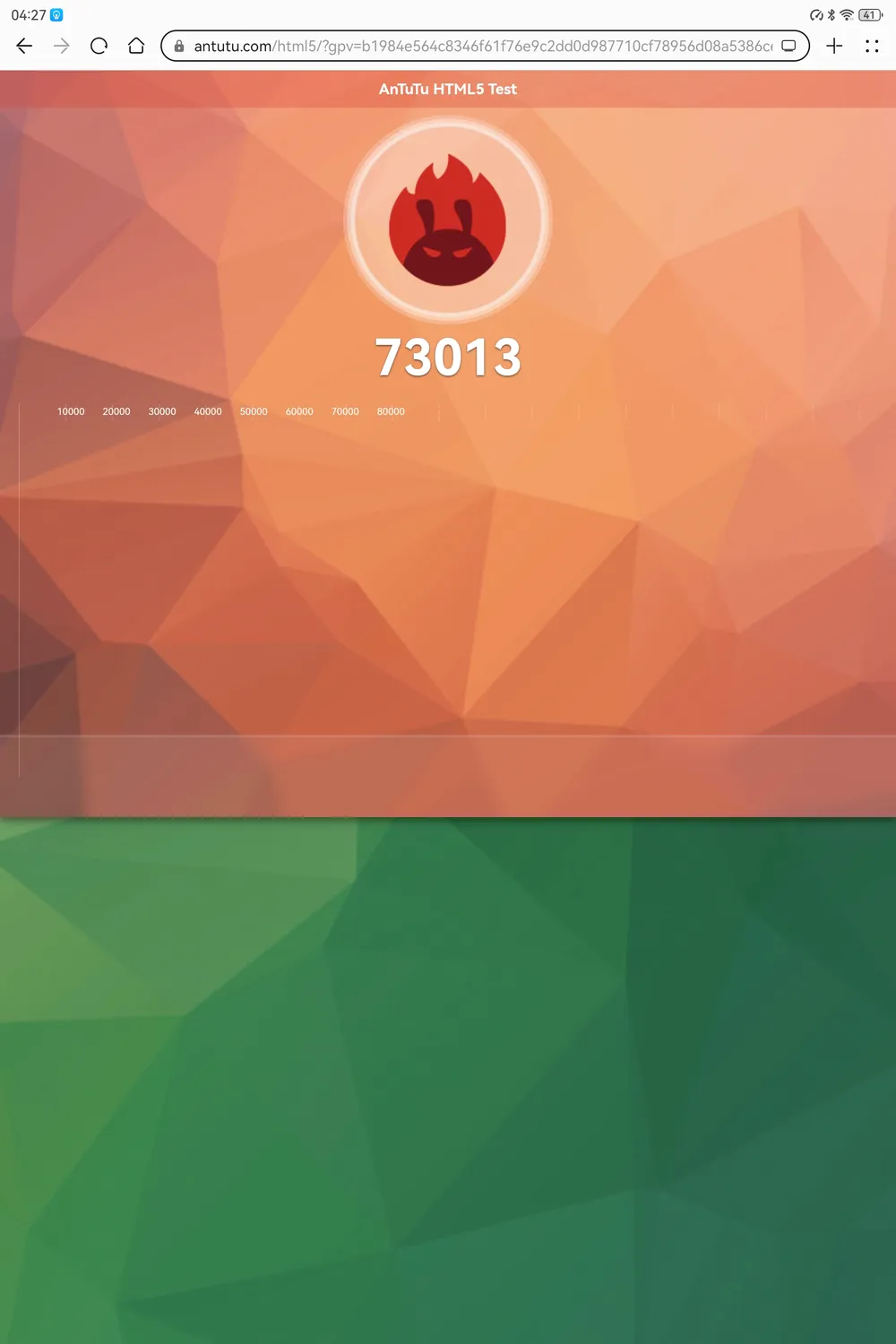
As can be seen from the results, the indicators improved almost by one and a half times compared to last year's model. Also, as in the case of Mate XT, the compatibility of the Gbox application, which allows you to run Google Play and most applications from there, has also significantly improved since then. However, I encountered one side effect — applications 'run in emulation mode' define the smartphone model in various absurd ways. For example, Telegram might say that you are logged in from a Samsung Galaxy or something similar. Don't be alarmed.
On the other hand, the own 'store' AppGallery has also expanded its selection. Many popular applications (but not games) can be installed directly from it. For purchasers, the platform still offers many opportunities to save on purchases or even receive freebies through loyalty programs.
For creative purposes, AppGallery has MojingPaint and Sculpt+. The first application is meant for simple drawing, and its functionality is integrated into some other tablet applications — for example, you can select colors with it. The second application is already meant for creating three-dimensional models, with the subsequent importation of them into formats available for other editors and applications like obj and stl.
On the other hand, the Petal Search function allows you to find and install applications outside of AppGallery. I, for example, recommend the graphic editor Krita, which has much greater functionality than Mojing. It's a pity that Blender has not been ported to Android — otherwise, there would also be a recommendation for 3D.
As for the runtime, it lasts for 7 hours in games and almost 10 hours when watching videos. Full charging time is 2 hours. Overall, these are typical indicators for such devices today.
The boot time is 27 seconds. Quite good. However, you need to hold the power button for 10 seconds.
Specifications
Design
Screen
13.2 inches
Type
Flexible OLED display with PaperMatte technology
Resolution
2880 × 1920, pixel density 262 ppi
Colors
1.07 billion colors, wide color gamut P3
Useful screen area
94%
Contrast
1,000,000:1
Brightness
1000 nits
Appearance
Height
196.1 mm
Width
289.1 mm
Thickness
5.5 mm
Weight
Approximately 580 g (with battery)
Included in the package
Tablet (with built-in battery) × 1
Smart magnetic keyboard HUAWEI × 1
HUAWEI SuperCharge adapter × 1
USB Type-C cable × 1
Quick user manual × 1
Warranty card (depends on the market) × 1
Hardware
Processor
8-core Kirin T92
RAM
12 GB
Hard drive
256 GB / 512 GB
Control
Touchscreen, power button, volume control buttons, connectable keyboard, connectable stylus.
Connection
Type-C ports, USB 2.0
OTG supported (maximum output current for reverse charging — 5 V 1 A)
Wi-Fi frequency: 2.4 GHz and 5 GHz
Bluetooth 5.2, supporting BLE, SBC, AAC, LDAC, and L2HC; file transfer supported
NearLink supported
OTG supported (maximum output characteristics for reverse charging — 1.5 A 5 V)
USB Type-C, supporting USB 3.1 Gen 1
Sensors
Fingerprint scanner
Light sensor
Hall sensor
Gyroscope
Compass
Gravity sensor
Navigation
Supports GPS, GLONASS, BeiDou, GALILEO
Audio
4 microphones
6 speakers
Camera
Main camera
50 MP (aperture f/1.8, autofocus)
8 MP (wide-angle module, aperture f/2.2, fixed focus), LED flash
Image resolution
Up to 4160 × 3120 pixels¹
Video resolution
Up to 3840 × 2160 pixels, video recording at 30 fps²
Image resolution from the wide-angle camera
Up to 3264 × 2448 pixels¹
Video resolution from the wide-angle camera
Up to 1920 × 1080 pixels, video recording at 30 fps
Front camera
16 MP (wide-angle camera, aperture f/2.0, fixed focus)
Power
Battery
7250 mA*ч (nominal capacity) Typical capacity
5050 mAч (7.7 V), equivalent to 10,100 mAч (3.85 V), typical power 38.89 W*ч
Nominal capacity
5000 mAч (7.7 V), equivalent to 10,000 mAч (3.85 V), nominal power 38.5 W*ч
Charging
The charger included in the package supports fast charging HUAWEI SuperCharge with characteristics up to 20 V, 5 A
Software and Multimedia
Operating System
HarmonyOS 4.3
Audio playback
HUAWEI SOUND technology
File formats
mp3, mp4, 3gp, ogg, amr, aac, flac, wav, midi
Video playback
File formats
3gp, mp4
Conclusion
Currently, the price of the latest HUAWEI MatePad Pro 13.2'' (PaperMatte Edition) is 110 thousand rubles. This is quite a significant amount for a budget tablet, although the high performance and significantly increased range of available applications since last year justify it well.
Otherwise, the new tablet from Huawei offers all the capabilities for those interested (or making a living) in drawing and design, just like on the previous iteration of this lineup. Plus improved specifications (it's a pity that the wobbling issue remains). For anyone planning to draw on the go or show various design schemes to colleagues during presentations — this is definitely a good choice.